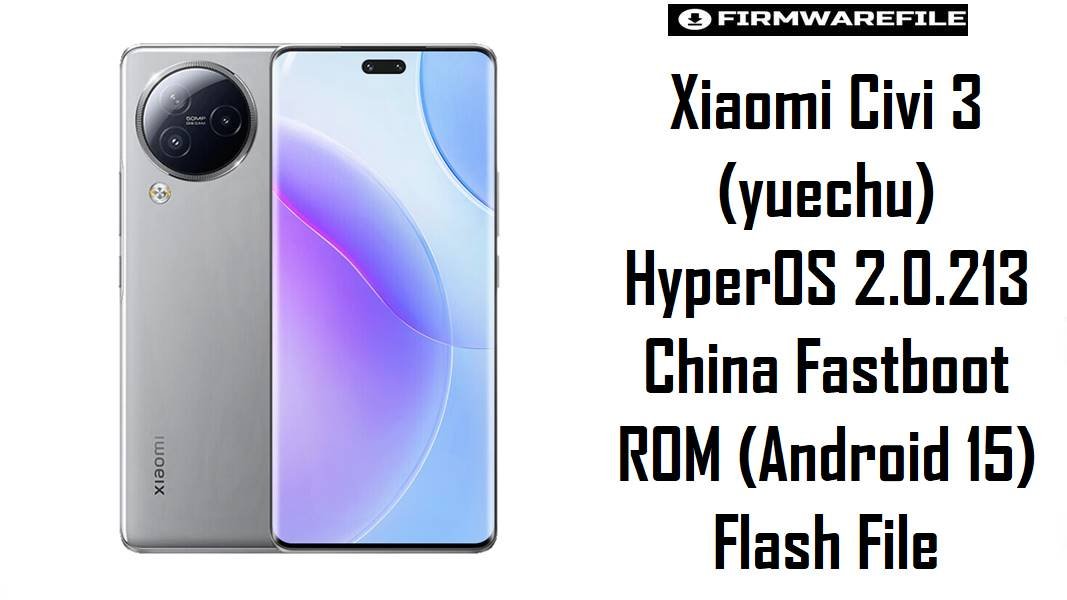
Xiaomi Civi 3 (yuechu) HyperOS 2.0.213 China Fastboot ROM (Android 15) Flash File
Xiaomi Civi 3 is a style-focused upper-midrange phone in Xiaomi’s China lineup, and its users usually expect smooth UI, stable thermals, and “all‑day” battery behavior from a Dimensity 8200‑Ultra platform.
When HyperOS/Android 15 updates misbehave, the most common real-world complaints tend to cluster around overheating and abnormal battery drain, especially after an OTA upgrade or app migration.
The OS2.0.213.0.VMICNXM fastboot firmware below is the latest China build for codename yuechu and is typically used as a clean reinstall to stabilize performance and reset an update that went wrong.
Download Firmware for Xiaomi Civi 3 (yuechu)
| Filename | Region/Variant | Build Number | Build Date | Android Version | Flashing Method | Notes | File Size | MD5 | Download |
|---|---|---|---|---|---|---|---|---|---|
yuechu_images_OS2.0.213.0.VMICNXM_20251202.0000.00_15.0_cn_641311f4d2.tgz |
China (CNXM) | OS2.0.213.0.VMICNXM |
2025-12-02 | Android 15 | Xiaomi Flash Tool (Fastboot .tgz) |
Recommended if you need a full clean reinstall (common after heat/drain or instability following HyperOS updates). Note: XM Firmware Updater lists this fastboot package at 8.7 GB, while your host listing shows 8.07 GB (size display can vary by rounding/GB vs GiB). |
8.07GB (link listing) / 8.7GB (tracker) | 641311f4d2a2546dc78f1adce218f2b8 |
Download From Xiaomi BigOTA |
- Variant match note: This build is CNXM (China). Only flash it on Xiaomi Civi 3 with codename
yuechu. - Fastboot vs Recovery: Official listings also include an OS2.0.213.0 Recovery package, but the file above is the Fastboot ROM intended for MiFlash-style reinstall scenarios.
Complete Device & Firmware Overview
- Device
- Xiaomi Civi 3 China
- Codename
yuechu- Chipset
- MediaTek Dimensity 8200‑Ultra
- Firmware type
- Stable Fastboot ROM (
.tgz) - Android version
- Android 15.0 (from package naming and tracker listing)
- Build number
OS2.0.213.0.VMICNXM- Release date
- 2025-12-02 (Fastboot)
- File size
- 8.7 GB listed by tracker (your download post shows 8.07GB).
- MD5 (integrity check)
641311f4d2a2546dc78f1adce218f2b8- Security patch level
- Not shown in the provided tracker page’s changelog section for this exact build; confirm in “About phone” after flashing.
- Required tools
- Windows PC, Xiaomi Flash Tool, USB drivers, reliable USB cable (fastboot workflow).
- Bootloader rules (important)
- Fastboot flashing is commonly used for clean restores and may require bootloader access/unlock depending on device state; avoid “clean all and lock” unless fully certain the ROM/region match.
CRUCIAL WARNING: This fastboot ROM is only for Xiaomi Civi 3 (codename yuechu) on the China branch (VMICNXM); flashing the wrong codename/region or a corrupted file can cause bootloops, lost network/SIM functions, or a hard brick—verify build + checksum first.
Preparation Before Flashing
Click here for the Xiaomi Civi 3 (yuechu) pre-flash checklist
- Confirm codename + branch: Your target must be Xiaomi Civi 3 China (
yuechu) and this ROM must remainVMICNXM(CNXM). - Back up everything: Clean fastboot flashes are often used to fix post-update heat/drain and instability, but they can wipe user data depending on flash options.
- Verify the ROM file: Check MD5 (
641311f4d2a2546dc78f1adce218f2b8) to avoid flashing a corrupted 8GB+ archive. - Battery + stability: Charge to 50–60%+ and avoid flashing while the phone is hot (heat after updates is commonly reported).
- Use a reliable USB setup: Prefer a direct motherboard USB port and a known-good cable (disconnects during flash can cause boot issues).
How to flash Firmware Files to Xiaomi Civi 3
This simplified guide covers flashing yuechu_images_OS2.0.213.0.VMICNXM_20251202.0000.00_15.0_cn_641311f4d2.tgz via Xiaomi’s fastboot flashing workflow on Windows.
- Choose the correct ROM: Use
OS2.0.213.0.VMICNXMonly if your device is Civi 3 China (yuechu). - Prep the file: Download, verify MD5, and extract the
.tgzto a short folder path. - Enter fastboot: Boot into fastboot mode and connect the phone to the PC.
- Flash: Open Xiaomi Flash Tool, select the extracted ROM folder, and flash (a clean install is typically chosen when fixing post-update instability).
- Reboot: First boot can take several minutes while Android 15 optimizes apps.
For a full, screenshot-based Xiaomi flashing walkthrough (drivers, device detection fixes, and common MiFlash errors), use the detailed Xiaomi Flash tool guide.
Frequently Asked Questions (FAQs)
- Q1. What device is “yuechu” in this firmware filename?
- Official ROM trackers label
yuechuas Xiaomi Civi 3 China. - Q2. Is OS2.0.213.0.VMICNXM China-only?
- Yes. The build string
VMICNXMis listed for Xiaomi Civi 3 China and is not the same as Global/EEA/India branches used on other Xiaomi models. - Q3. What’s the difference between the Fastboot ROM and the Recovery ROM for OS2.0.213.0?
- For this same version, official listings show both a Recovery package (~6.7GB) and a Fastboot package (~8.7GB); the file provided here is the Fastboot ROM.