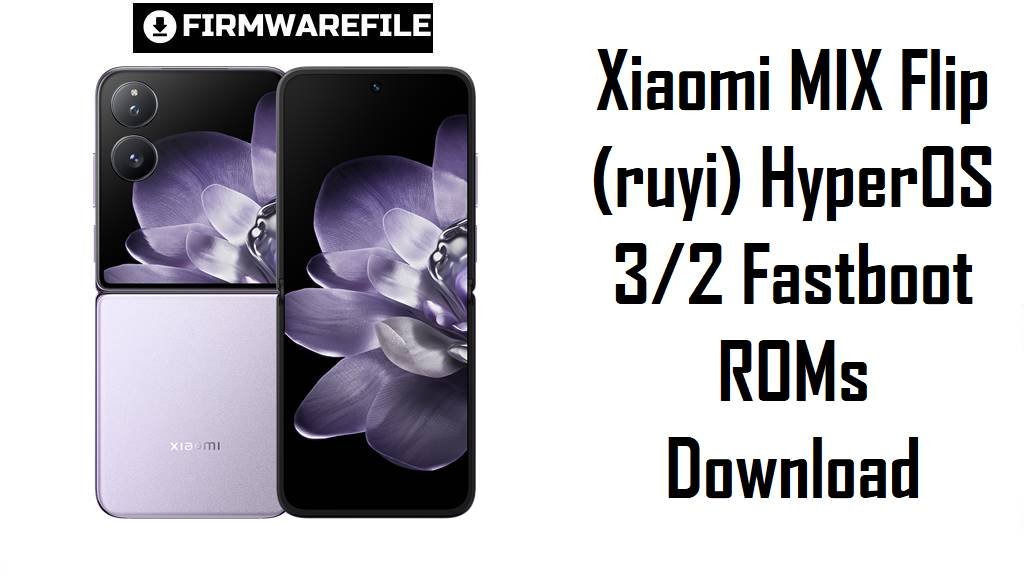
Xiaomi MIX Flip (ruyi) HyperOS 3/2 Fastboot ROMs Download
Xiaomi MIX Flip combines Snapdragon 8 Gen 3 performance, Leica‑tuned cameras, and dual 120 Hz displays, but some users report HyperOS updates causing lag spikes, battery drain, and third‑party app stutter over time.
Flashing the correct fastboot ROM for your region lets you move to optimized HyperOS 3 on Android 16 in China or the latest HyperOS 2 Android 15 builds elsewhere, often restoring smoothness and stability.
Download Firmware for Xiaomi MIX Flip
These packages are official fastboot ROMs for Xiaomi MIX Flip with codename ruyi; WNICNXM is a HyperOS 3 (Android 16) build for China, while VNIMIXM, VNIEUXM, VNITWXM and VNIRUXM are HyperOS 2 (Android 15) builds for Global, EEA, Taiwan and Russia. For most owners, the safest option is the newest ROM whose suffix matches your current HyperOS version in Settings → About phone (CNXM, MIXM, EUXM, TWXM, RUXM).
| Filename | Region / Variant | Build Number | Build Date | Android Version | Flashing Method | File Size | Notes | Download |
|---|---|---|---|---|---|---|---|---|
| ruyi_images_OS3.0.3.0.WNICNXM_20251107.0000.00_16.0_cn_7979107b51.tgz | China – MIX Flip CN | OS3.0.3.0.WNICNXM | 2025‑11‑07 | Android 16 (HyperOS 3.0.3) | Fastboot (Xiaomi Flash Tool) | 8.98 GB | Flagship HyperOS 3 fastboot ROM for China; changelog highlights major performance optimizations, smoother animations in 100+ system scenes, more efficient short‑video playback, and new AI‑powered features in Recorder, translation and XiaoAi. | Download from Xiaomi server |
| ruyi_global_images_OS2.0.209.0.VNIMIXM_20251104.0000.00_15.0_global_7ab265563f.tgz | Global – MIX Flip Global | OS2.0.209.0.VNIMIXM | 2025‑11‑04 | Android 15 (HyperOS 2) | Fastboot (Xiaomi Flash Tool) | 7.64 GB | Latest Global HyperOS 2 fastboot ROM; firmware trackers pair OS2.0.209.0.VNIMIXM with an October/November 2025 security bump and system‑animation optimizations, so it is the default clean‑flash choice for international units. | Download from Xiaomi server |
| ruyi_eea_global_images_OS2.0.213.0.VNIEUXM_20251028.0000.00_15.0_eea_0c8e0ab567.tgz | EEA / Europe – MIX Flip EU | OS2.0.213.0.VNIEUXM | 2025‑10‑28 | Android 15 (HyperOS 2) | Fastboot (Xiaomi Flash Tool) | 7.65 GB | Newest EEA HyperOS 2 fastboot ROM; XiaomiTime changelogs for similar VNIEUXM builds mention updated security patches and smoother app‑transition animations, making this the safest base for European devices. | Download from Xiaomi server |
| ruyi_ru_global_images_OS2.0.208.0.VNIRUXM_20251104.0000.00_15.0_ru_3e4c14125a.tgz | Russia – MIX Flip RU | OS2.0.208.0.VNIRUXM | 2025‑11‑04 | Android 15 (HyperOS 2) | Fastboot (Xiaomi Flash Tool) | 8.48 GB | Russia HyperOS 2 fastboot ROM; firmware archives show OS2.0.208.0.VNIRUXM as a late‑2025 stable with security updates similar to global/EEA builds. | Download from Xiaomi server |
| ruyi_tw_global_images_OS2.0.208.0.VNITWXM_20251104.0000.00_15.0_tw_6c43af73b9.tgz | Taiwan – MIX Flip TW | OS2.0.208.0.VNITWXM | 2025‑11‑04 | Android 15 (HyperOS 2) | Fastboot (Xiaomi Flash Tool) | 7.21 GB | Taiwan HyperOS 2 fastboot ROM; listed by firmware sites as the latest VNITWXM Android 15 build, tuned for local networks and regulations. | Download from Xiaomi server |
If your MIX Flip is already on HyperOS 2 Android 15, stay on the latest matching VNIMIXM/VNIEUXM/VNITWXM/VNIRUXM fastboot ROM unless you specifically own a Chinese WNICNXM device and want to jump to Android 16 HyperOS 3.
Complete Device & Firmware Overview
- Device name & codename
- Xiaomi MIX Flip is tracked under codename ruyi across official HyperOS firmware and third‑party ROM databases.
- Form factor & displays
- The phone is a clamshell foldable with a 6.86‑inch 120 Hz LTPO OLED main screen (2912 × 1224) and a 4.01‑inch 120 Hz OLED cover display (1392 × 1208).
- Core hardware
- MIX Flip uses a Snapdragon 8 Gen 3 chipset, 12 GB LPDDR5X RAM, 512 GB UFS 4.0 storage and a 4780 mAh battery with 67 W wired charging.
- Cameras
- The rear setup combines a 50 MP main and 50 MP 2× telephoto camera with Leica tuning, plus a 32 MP inner selfie camera, delivering flagship‑class imaging for a flip.
- Current OS baselines
- China WNICNXM builds are HyperOS 3.0 on Android 16, while Global/EEA/TW/RU VNIXXM builds are HyperOS 2.2‑class releases on Android 15.
- Security patch status
- VNIMIXM and VNIEUXM late‑2025 changelogs mention upgraded October/November 2025 security patches and improved system animations, with OS3.0.3.0.WNICNXM also carrying Android 16‑era security fixes.
- User‑reported issues
- Some MIX Flip owners describe lag when waking the device, extra delay opening apps, and increased battery drain after HyperOS updates.
- How these ROMs help
- Clean‑flashing the latest fastboot ROM replaces potentially problematic OTA layers, applies Xiaomi’s newest performance and animation optimizations, and often resolves wake‑lag or stutter reported after earlier updates.
- Firmware type
- All listed packages are official fastboot ROMs in .tgz format meant for Xiaomi’s fastboot‑based tools on Windows, not for direct installation via the in‑phone updater.
- Bootloader & anti‑rollback
- Like other modern flagships, MIX Flip normally requires an unlocked bootloader for manual fastboot flashing, and Xiaomi’s anti‑rollback can block unsafe downgrades or cross‑region attempts.
- Required tools
- You need a Windows PC, Xiaomi USB drivers, Xiaomi Flash Tool (MiFlash or equivalent), a reliable USB‑C cable, and MD5/SHA checks from trusted firmware sites to validate each ruyi_*.tgz download.
CRUCIAL WARNING: These fastboot ROMs are strictly for Xiaomi MIX Flip with codename ruyi; do not flash them to MIX Fold, other Xiaomi 14‑series phones, or different codenames, as cross‑flashing can permanently brick the device.
Each build is region‑locked by code (WNICNXM for China, VNIMIXM for Global, VNIEUXM for EEA, VNITWXM for Taiwan, VNIRUXM for Russia), so you should normally flash the ROM that matches your phone’s original region and avoid unnecessary cross‑region flashing while anti‑rollback is enabled.
All official ruyi_*.tgz fastboot packages wipe user data when used with Xiaomi’s tools, and choosing aggressive options like “clean all and lock” on a mismatched region can relock the bootloader on unsupported firmware and cause boot loops or network problems.
Preparation Before Flashing
Click here for the MIX Flip pre‑flash checklist
- Confirm codename & variant: Boot into fastboot and run fastboot getvar product; proceed only if it returns ruyi, then check About phone to read your current suffix (WNICNXM, VNIMIXM, VNIEUXM, VNITWXM, VNIRUXM).
- Match the region code: Download the fastboot ROM whose suffix matches your original region to keep modems, eSIM, and OTA behavior correct, especially on roaming‑heavy MIX Flip users.
- Backup everything: Fastboot flashing performs a clean install and erases apps, media, and settings, so back up to Xiaomi Cloud, Google, or a PC before starting.
- Battery & thermals: Charge to at least 50–60% and let the phone cool down so it does not shut off or overheat during flashing.
- Install drivers & tools: On Windows, install Xiaomi USB drivers and MiFlash (or another fastboot utility) and confirm that MIX Flip is detected correctly in fastboot mode.
Quick Firmware Flash Instructions
This high‑level guide covers flashing a fastboot ROM such as ruyi_global_images_OS2.0.209.0.VNIMIXM_20251104.0000.00_15.0_global_7ab265563f.tgz or ruyi_images_OS3.0.3.0.WNICNXM_20251107.0000.00_16.0_cn_7979107b51.tgz using Xiaomi’s fastboot flashing tool on a Windows PC.
- Prepare PC & ROM: Install Xiaomi USB drivers and MiFlash, then download the correct ruyi_…images_… TGZ and extract it fully to a short path such as C:\ruyi_rom.
- Enter fastboot mode: Power off MIX Flip, hold Volume Down + Power until the fastboot logo appears, then connect to the PC with a high‑quality USB‑C cable.
- Select the firmware folder: Open MiFlash, click “Select” and choose the extracted ROM folder; verify that one device with codename ruyi is shown as connected.
- Flash with “clean all”: Choose the “clean all” option (wipes data, keeps bootloader unlocked), click “Flash” and wait without disconnecting until the tool reports success.
- First boot & checks: Let HyperOS boot and finish optimization, then open About phone to confirm codename, region suffix and build number match the ROM you installed.
For a more detailed, screenshot‑rich walkthrough of Xiaomi fastboot flashing, including anti‑rollback checks and common error fixes, follow the main Xiaomi fastboot firmware guide and simply point it to your extracted ruyi_*.tgz folder when prompted.
Frequently Asked Questions (FAQs)
- Q1. Which ROM should I choose for my MIX Flip?
- The safest choice is always the latest build that matches your original region: OS3.0.3.0.WNICNXM for China, OS2.0.209.0.VNIMIXM for Global, OS2.0.213.0.VNIEUXM for EEA, OS2.0.208.0.VNITWXM for Taiwan, or OS2.0.208.0.VNIRUXM for Russia.
- Q2. Will HyperOS 3 (WNICNXM) make my MIX Flip smoother?
- The OS3.0.3.0.WNICNXM changelog focuses heavily on refined animations, better memory management, improved short‑video efficiency and expanded AI features, so Chinese units generally see smoother UI and better battery behavior versus early HyperOS 2 builds.
- Q3. My MIX Flip feels laggy after a HyperOS 2 update—can a clean flash help?
- Some users report wake‑up lag and slower app launches after OTA updates, and community advice is often to back up and clean‑flash the latest matching fastboot ROM to remove leftover bugs and misconfigured settings.
- Q4. Can I flash the China WNICNXM build on my Global MIX Flip?
- Cross‑flashing between CNXM and MIXM is technically possible for advanced users, but region‑locked services, modem differences and anti‑rollback make it risky; most owners should stay on their own regional series.
- Q5. Are these ROMs required to get Android 16 on Global MIX Flip?
- Android 16 currently ships with HyperOS 3 on the China WNICNXM line, while Global/EEA/TW/RU are still on HyperOS 2 Android 15; Global Android 16 fastboot ROMs will arrive as separate WNI* builds when Xiaomi rolls them out.