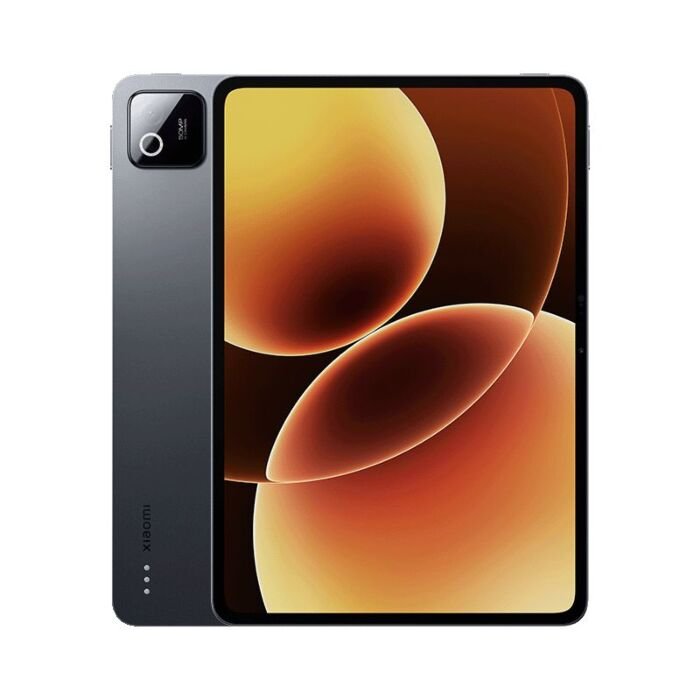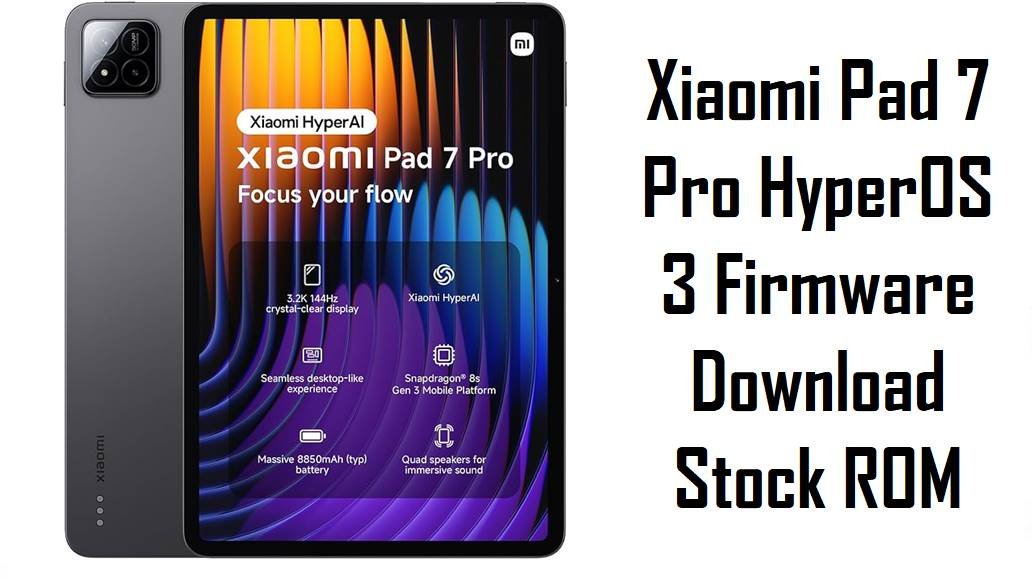
Xiaomi Pad 7 Pro HyperOS 3 Firmware Download Stock ROM
Xiaomi Pad 7 Pro targets power users who want a high‑refresh tablet with Snapdragon 8s Gen 3 and stylus support for productivity and media consumption. Despite strong hardware and battery life, some owners report noticeable heating during video streaming, occasional lag when quickly launching or exiting apps, and minor software quirks on early HyperOS 2 builds.
These official HyperOS 3 (Android 16) fastboot ROMs for codename muyu let you clean‑flash region‑correct firmware to stabilize performance, benefit from refined memory and power management, and access the newest HyperOS visual refresh.
Download Firmware for Xiaomi Pad 7 Pro (muyu)
All packages below are official HyperOS 3 fastboot ROMs for Xiaomi Pad 7 Pro with codename muyu, covering China, Global, Russia, Indonesia, EEA, Taiwan and Turkey regions. HyperOS 3 brings Android 16, improved scheduling, memory optimization and a refined UI experience, so every region now benefits from the latest generation of Xiaomi’s tablet firmware.
| Filename | Region / Variant | Build Number | Build Date | Android Version | Flashing Method | File Size | Notes | Download |
|---|---|---|---|---|---|---|---|---|
| muyu_images_OS3.0.4.0.WOYCNXM_20251103.0000.00_16.0_cn_36ffc25539.tgz | China (Xiaomi Pad 7 Pro, CNXM) | OS3.0.4.0.WOYCNXM | 2025‑11‑03 | Android 16.0 | Fastboot (Xiaomi Flash Tool) | 9.32 GB | Latest China HyperOS 3 fastboot ROM; changelog highlights improved memory allocation, smarter CPU scheduling, better short‑video playback efficiency, a new window‑rendering engine and smoother animations across 100+ system scenes, making it ideal for Chinese units needing the newest Android 16 base. | Download China Fastboot |
| muyu_global_images_OS3.0.3.0.WOYMIXM_20251024.0000.00_16.0_global_06cd67fa76.tgz | Global (MIXM) | OS3.0.3.0.WOYMIXM | 2025‑10‑24 | Android 16.0 | Fastboot (Xiaomi Flash Tool) | 7.39 GB | Official Global HyperOS 3 fastboot ROM; brings Android 16 with refined compiler instructions, improved memory recovery, integrated frequency scheduling, reduced graphics load and fine‑tuned animations, addressing lag and battery complaints from early HyperOS 2 firmware. | Download Global Fastboot |
| muyu_eea_global_images_OS3.0.3.0.WOYEUXM_20251024.0000.00_16.0_eea_898778f610.tgz | EEA / Europe (EUXM) | OS3.0.3.0.WOYEUXM | 2025‑10‑24 | Android 16.0 | Fastboot (Xiaomi Flash Tool) | 6.97 GB | EEA HyperOS 3 fastboot ROM; full changelog emphasizes optimized memory allocation, better frequency scheduling, improved short‑video playback, new window‑rendering mechanism and smoother animations, plus a revamped UI with cleaner visuals and redesigned Home icons. | Download EEA Fastboot |
| muyu_ru_global_images_OS3.0.2.0.WOYRUXM_20251031.0000.00_16.0_ru_6c8044b049.tgz | Russia (RUXM) | OS3.0.2.0.WOYRUXM | 2025‑10‑31 | Android 16.0 | Fastboot (Xiaomi Flash Tool) | 7.66 GB | Russia‑region HyperOS 3 fastboot ROM aligned with the same Android 16 optimizations as other 3.0.x builds; best for Russian Pad 7 Pro units that want the latest firmware with local services and OTA compatibility. | Download Russia Fastboot |
| muyu_id_global_images_OS3.0.2.0.WOYIDXM_20251031.0000.00_16.0_id_99f3629cc2.tgz | Indonesia (IDXM) | OS3.0.2.0.WOYIDXM | 2025‑10‑31 | Android 16.0 | Fastboot (Xiaomi Flash Tool) | 6.92 GB | Indonesia‑specific HyperOS 3 ROM with Android 16 and regional tuning; recommended for Indonesian Xiaomi Pad 7 Pro units to preserve carrier‑tuned settings and OTA while gaining the HyperOS 3 performance/battery improvements. | Download Indonesia Fastboot |
| muyu_tw_global_images_OS3.0.2.0.WOYTWXM_20251031.0000.00_16.0_tw_2a9925e889.tgz | Taiwan (TWXM) | OS3.0.2.0.WOYTWXM | 2025‑10‑31 | Android 16.0 | Fastboot (Xiaomi Flash Tool) | 6.62 GB | Taiwan HyperOS 3 fastboot ROM with Android 16 and the same performance/visual enhancements; preferred for Taiwanese tablets to avoid compliance or payment‑app issues from cross‑region flashing. | Download Taiwan Fastboot |
| muyu_tr_global_images_OS3.0.2.0.WOYTRXM_20251031.0000.00_16.0_tr_dafe866248.tgz | Turkey (TRXM) | OS3.0.2.0.WOYTRXM | 2025‑10‑31 | Android 16.0 | Fastboot (Xiaomi Flash Tool) | 6.97 GB | Turkey‑region HyperOS 3 fastboot ROM delivering Android 16 optimizations; recommended for Turkish Pad 7 Pro units to keep regional features, OTA support and avoid modem quirks. | Download Turkey Fastboot |
For everyday users, the safest choice is the HyperOS 3 fastboot ROM that matches your tablet’s original region code (MIXM, EUXM, CNXM, RUXM, IDXM, TWXM, TRXM) instead of experimenting with cross‑region flashing.
Complete Device & Firmware Overview
- Device Name
- Xiaomi Pad 7 Pro (codename muyu), an 11‑inch tablet built for productivity, gaming and media.
- Codename
- muyu — must match in fastboot mode and ROM filenames before flashing any of the listed packages.
- Regions / Variants
- China (WOYCNXM), Global (WOYMIXM), EEA (WOYEUXM), Russia (WOYRUXM), Indonesia (WOYIDXM), Taiwan (WOYTWXM), Turkey (WOYTRXM).
- Firmware Type
- Official HyperOS 3.0 (Android 16) fastboot ROMs across all regions, provided as *.tgz fastboot packages for clean installs and unbricking.
- Key Changelog Themes
- HyperOS 3 on Pad 7 Pro emphasizes improved memory allocation and recovery, smarter CPU frequency scheduling, more efficient short‑video playback, a lighter window‑rendering mechanism and smoother animations across 100+ scenes, all targeting better battery life and reduced lag.
- Visual & UI Enhancements
- The update brings revamped visuals with cleaner, more refined icons, a redesigned status bar, a new design system that unifies rounded corners, a new large‑clock Lock screen and an all‑in‑one wallpaper editor.
- Common User Pain Points
- Owners report noticeable heating around the camera area during video streaming, occasional lag when rapidly launching or exiting apps, and slight multitasking stutter on earlier HyperOS 2 builds.
- What HyperOS 3 Addresses
- By refining compiler instructions, memory handling, graphics rendering and power scheduling, HyperOS 3 aims to reduce heat generation, eliminate micro‑lags and deliver smoother animations while keeping battery efficiency high.
- Flash Method
- All listed TGZ files are fastboot ROMs meant for Windows PCs using Xiaomi’s fastboot tools; they require the tablet in fastboot mode and an unlocked bootloader for manual flashing.
- Bootloader Rules
- Manual fastboot flashing normally needs an unlocked bootloader; locking it after flashing the wrong region or a modified ROM can cause boot loops, “device locked” errors or loss of network.
- Required Tools
- Windows PC, Xiaomi USB drivers, Xiaomi Flash Tool (or compatible fastboot flasher), a good USB‑C cable and MD5/SHA checksums from trusted firmware trackers to verify file integrity.
Flashing a ROM for the wrong codename, region or using a corrupted file can permanently brick your Xiaomi Pad 7 Pro or break Wi‑Fi/cellular connectivity, so always confirm muyu, match the exact region suffix, and verify checksums before you start.
CRUCIAL WARNING: These fastboot ROMs are strictly for Xiaomi Pad 7 Pro with codename muyu; they must not be flashed to Xiaomi Pad 7 (uke), Pad 7 Ultra, Redmi Pad models or any other codenames, because cross‑flashing can permanently brick the tablet.
Each build is region‑locked by code (WOYCNXM, WOYMIXM, WOYEUXM, WOYRUXM, WOYIDXM, WOYTWXM, WOYTRXM), so you should normally flash the ROM that matches your tablet’s original region and avoid cross‑region flashing unless you fully understand anti‑rollback and modem differences.
All official muyu_*.tgz fastboot packages will wipe user data when flashed, and selecting options like “clean all and lock” on a mismatched ROM can relock the bootloader and cause boot or network failures.
Preparation Before Flashing
Click here for the Xiaomi Pad 7 Pro pre‑flash checklist
- Confirm codename and region: In fastboot mode or via adb, ensure the tablet reports codename muyu, then check Settings > About tablet to read your current build suffix (MIXM, EUXM, CNXM, etc.) before downloading any ROM.
- Backup all data: Fastboot flashing performs a clean install that erases apps and internal storage; back up important files, photos and settings to Xiaomi Cloud, Google Drive or a PC.
- Charge sufficiently: Keep the Pad 7 Pro at least 50–60% charged to prevent shutdown during flashing, which can corrupt partitions and leave the tablet unbootable.
- Install drivers and tools: On Windows, install Xiaomi USB drivers and Xiaomi Flash Tool (or similar fastboot utility) and verify your tablet is detected in fastboot mode.
- Check bootloader & anti‑rollback: Ensure the bootloader is unlocked for manual fastboot flashing and avoid downgrading below your current anti‑rollback index to prevent ARB errors.
Quick Firmware Flash Instructions
This simplified guide covers flashing any of the listed HyperOS 3 fastboot ROMs, such as muyu_global_images_OS3.0.3.0.WOYMIXM_20251024.0000.00_16.0_global_06cd67fa76.tgz, using Xiaomi’s fastboot flashing tool on a Windows PC.
- Prepare PC and ROM: Install Xiaomi USB drivers and Xiaomi Flash Tool, then download and extract your chosen muyu_…images_… TGZ to a short path like C:\muyu_rom.
- Enter fastboot mode: Power off the Pad 7 Pro, hold Volume Down + Power until the fastboot logo appears, then connect it to the PC via a reliable USB‑C cable.
- Load the ROM in the tool: Open Xiaomi Flash Tool, select the extracted ROM folder and confirm that one muyu device is listed as connected.
- Flash with “clean all”: Choose a mode that wipes data but does not lock the bootloader (usually “clean all”), click the flash button and wait for the success message without disconnecting the tablet.
- First boot and checks: Allow HyperOS 3 to boot and complete background optimization (this may take several minutes), then open About tablet to verify codename muyu, region suffix and build number match the ROM you flashed.
For a more detailed, screenshot‑rich walkthrough of Xiaomi fastboot flashing (drivers, anti‑rollback checks, error handling), follow the main Xiaomi fastboot firmware guide and simply select the appropriate muyu_*.tgz folder when prompted.
Frequently Asked Questions (FAQs)
- Q1. Which fastboot ROM should I choose for my Xiaomi Pad 7 Pro?
- The safest choice is always the ROM that matches your tablet’s original region code, such as OS3.0.3.0.WOYMIXM for Global, OS3.0.3.0.WOYEUXM for EEA, OS3.0.4.0.WOYCNXM for China, OS3.0.2.0.WOYRUXM for Russia, OS3.0.2.0.WOYIDXM for Indonesia, OS3.0.2.0.WOYTWXM for Taiwan or OS3.0.2.0.WOYTRXM for Turkey.
- Q2. What are the main benefits of HyperOS 3 on Xiaomi Pad 7 Pro?
- HyperOS 3 brings Android 16 plus system‑wide optimizations like improved memory allocation, smarter CPU scheduling, reduced graphics load and smoother animations across 100+ scenes, all addressing heat, lag and battery issues reported on earlier firmware.
- Q3. Will these ROMs fix heating and lag issues during video playback?
- Official changelogs highlight improved short‑video playback efficiency and better power management, and early user feedback on HyperOS 3 suggests reduced warmth and smoother performance compared with HyperOS 2, especially after a clean fastboot flash and basic optimization.
- Q4. Can a fastboot flash recover a Pad 7 Pro stuck after a failed OTA?
- If the tablet still enters fastboot mode, flashing the correct muyu_…images_… fastboot ROM is a standard way to restore stock firmware and fix boot loops, but devices completely hard‑bricked that cannot reach fastboot may require service‑center EDL tools.
- Q5. Is it safe to cross‑flash China or Global firmware onto an EEA or Russia tablet?
- Advanced users sometimes cross‑flash, but Xiaomi’s region‑locked structure means mixing regions can affect modem configuration, OTA eligibility and warranty, so average users should stay on their original region code and only flash matching ROMs.
- Q6. Where can I read the full HyperOS 3.0.3.0.WOYMIXM / WOYEUXM changelog?
- Official firmware trackers list HyperOS 3 for muyu with detailed notes on refined compiler instructions, improved memory allocation and recovery, integrated frequency scheduling, a new window‑rendering mechanism, smoother animations and a revamped visual design system.