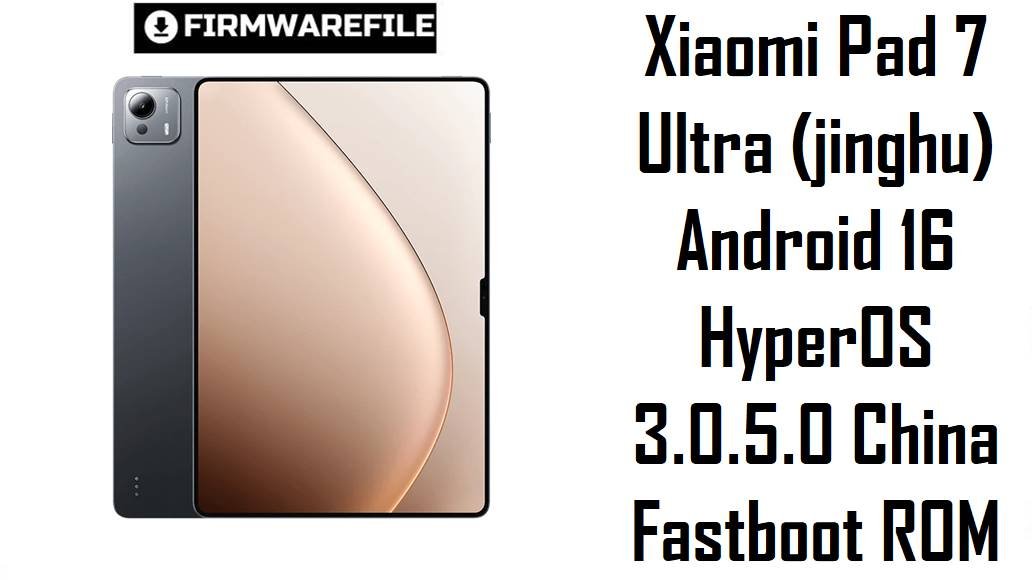
Xiaomi Pad 7 Ultra (jinghu) Android 16 HyperOS 3.0.5.0 China Fastboot ROM
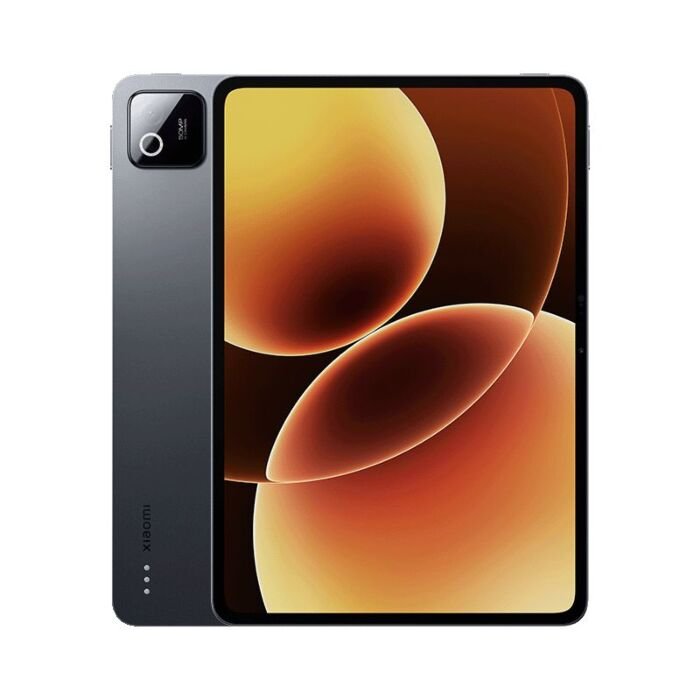
The Xiaomi Pad 7 Ultra is a huge 14‑inch flagship tablet built around Xiaomi’s in‑house Xring O1 3 nm chipset, up to 16 GB RAM, and a massive 12,000 mAh battery, positioned as a high‑end alternative to Samsung and Apple tablets for gaming, content creation and media. Reviews praise its performance, long battery life and excellent speakers, but users also highlight pain points such as the tablet’s weight, some Android apps not scaling well on the big display, occasional HyperOS bugs (touch glitches, gesture issues, battery‑protection quirks) and the China ROM’s lack of built‑in Google services.
The jinghu-images-OS3.0.5.0.WOXCNXM fastboot ROM is the latest China HyperOS 3 (Android 16) firmware for Xiaomi Pad 7 Ultra, delivering a full clean system image with updated security, smoother animations, better landscape app handling, and fixes for known touch, gesture and screen flicker bugs on this device.
Complete Device & Firmware Overview
- Device Name
- Xiaomi Pad 7 Ultra – extra‑large premium Android tablet.
- Codename
- jinghu – the internal project name used in all official firmware builds for Xiaomi Pad 7 Ultra.
- Model Number
- 25032RP42C for the China Wi‑Fi variant listed on firmware databases.
- Chipset
- Xring O1 (3 nm) 10‑core SoC with Immortalis‑G925 MC16 GPU, shared with Xiaomi 15S Pro and tuned for high sustained performance in large‑screen workloads.
- Display
- Approximately 14‑inch 3.2K‑class high‑refresh LTPS/OLED‑style panel (3.2K resolution, high Hz) designed for gaming, video editing and multitasking.
- Memory & Storage
- 12 GB RAM with 256 GB or 512 GB storage, and 16 GB RAM with up to 1 TB storage according to firmware spec listings.
- Battery & Charging
- About 12,000 mAh battery, with heavy‑use tests estimating over 11 hours of continuous on‑screen time and very strong endurance. Fast charging lets the huge pack refill relatively quickly for its size.
- Audio
- Eight‑speaker system (four woofers, four tweeters) with very linear overall sound and high maximum volume, outperforming many rival tablets in audio analysis.
- Thermals & Performance Behavior
- Reviews show that the Pad 7 Ultra stays comparatively cool for such powerful hardware; the large chassis helps keep throttling minimal in long 3D stress tests. That said, the sheer screen size and power can still tax some games and apps.
- Launch Software
- Launched with Android 15 and HyperOS 2.x (VOXCNXM builds) for the China market, with successive HyperOS 2.0.10x–2.0.207.0 updates before Android 16.
- Common User Pain Points
- Complaints include the tablet’s weight and portability, some Android apps failing to adapt to the 14‑inch landscape layout, HyperOS bugs like gesture/touch issues and occasional battery‑protection misbehavior reported around Pad 7 series updates, plus the lack of preinstalled Google services on the China ROM.
- Firmware File Name
- jinghu-images-OS3.0.5.0.WOXCNXM-user-20251105.0000.00-16.0-cn-2af0e939d7.tgz – official Xiaomi fastboot package.
- Build Number
- OS3.0.5.0.WOXCNXM – HyperOS 3 China stable line for Xiaomi Pad 7 Ultra on Android 16.
- Region / Variant
- China (CN) ROM – suffix WOXCNXM; designed only for Chinese Xiaomi Pad 7 Ultra units.
- Android Version
- Android 16.0, first major platform upgrade after the HyperOS 2 Android 15 VOXCNXM series.
- Security Patch Level
- HyperOS 3.0.5.0 recovery changelogs and update trackers state that it raises the security patch to a recent 2025 level for Pad 7 Ultra.
- Key Changelog Themes (HyperOS 3 for Pad 7 Ultra)
- Official posts and HyperOS 3 beta summaries mention improved animation responsiveness, enhanced landscape‑mode app support, fixes for gesture and screen‑flicker bugs, better touch responsiveness and multiple small bug fixes on Pad 7 Ultra.
- Firmware Type
- Fastboot ROM (.tgz) with full partition images for use with Xiaomi Flash Tool (Mi Flash / Xiaomi Flash) on a Windows PC.
- File Size
- Fastboot package size around 8.3–8.4 GB, consistent with the reported 8.37 GB.
- Flash Method
- Flashed in fastboot mode via Xiaomi Flash Tool, usually with the “clean all” option for a full wipe and fresh install.
- Bootloader Requirements
- Bootloader must be unlocked to flash fastboot ROMs; unlocking via Mi Unlock wipes data and may require a waiting period.
- Anti‑rollback & Update Path
- Modern HyperOS builds enforce anti‑rollback; OS3.0.5.0.WOXCNXM sits above previous VOXCNXM Android 15 builds, so it should be treated as the new baseline for future fastboot or OTA updates on the China channel.
- When This ROM Makes Sense
- Best for Chinese Pad 7 Ultra owners who want the full Android 16/HyperOS 3 feature set, or who need to fix lingering HyperOS 2 bugs (touch, gestures, landscape quirks) via a clean install.
CRUCIAL WARNING: This fastboot ROM is only for the Xiaomi Pad 7 Ultra with codename jinghu and China firmware (WOXCNXM); flashing it to any other Xiaomi/Redmi/POCO tablet or a different codename can permanently brick the device.
Always match codename and region (CNXM vs MIXM/EUXM, etc.) and avoid downgrading below your current anti‑rollback level; cross‑region or mismatched installs can break Wi‑Fi, cause boot loops, or block future OTA updates.
Fastboot packages like jinghu-images-OS3.0.5.0… overwrite core partitions and usually wipe user data; using “clean all and lock” on a non‑stock system can relock the bootloader on an unsupported ROM and lead to account‑binding issues or loss of recovery options.
Download Firmware for Xiaomi Pad 7 Ultra (jinghu)
OS3.0.5.0.WOXCNXM is currently the newest Android 16 HyperOS 3 fastboot ROM for the China Xiaomi Pad 7 Ultra and should be the default choice for a clean install, unbrick or major update; older VOXCNXM Android 15 builds are now mainly useful for downgrade testing or very specific compatibility reasons. If your About tablet page shows a China OS2.0.xxx.VOXCNXM or OS3.0.x.WOXCNXM build and fastboot reports product jinghu, this is the correct package.
| Filename | Region / Variant | Build Number | Build Date | Android Version | Flashing Method | File Size | Notes | Download |
|---|---|---|---|---|---|---|---|---|
| jinghu-images-OS3.0.5.0.WOXCNXM-user-20251105.0000.00-16.0-cn-2af0e939d7.tgz | China – Xiaomi Pad 7 Ultra (jinghu) | OS3.0.5.0.WOXCNXM – HyperOS 3.0 China Stable | 5 Nov 2025 internal build, public rollout mid‑Nov 2025 | Android 16.0 / HyperOS 3 | Xiaomi Flash Tool (fastboot, Windows PC) | ≈8.3–8.4 GB fastboot TGZ | First mature Android 16 HyperOS 3 fastboot ROM for jinghu, following earlier OS3.0.4.0 test/rollout builds. Update posts highlight improved animation responsiveness, better landscape‑app support, fixes for gesture and screen‑flicker bugs, and touch improvements specifically on Pad 7 Ultra, plus a newer security patch. Strong choice if you want maximum performance and stability on the China model, or need to recover from broken OTAs, mods or soft bricks with a clean Android 16 base. | Download from Xiaomi (China) |
Preparation Before Flashing
Click here for the Xiaomi Pad 7 Ultra (jinghu) pre‑flash checklist
- Confirm codename and region: In fastboot mode, run fastboot getvar product and verify it shows jinghu; in Settings > About tablet, ensure your build string ends with WOXCNXM or VOXCNXM (China) before using this ROM.
- Backup all important data: Fastboot flashing will overwrite system partitions and typically erase apps, settings and internal storage, so back up photos, notes, drawings, game saves and documents to Xiaomi Cloud, external storage or a PC first.
- Charge the tablet: Because the Pad 7 Ultra’s huge 12,000 mAh battery takes time to charge, make sure you have at least 50–60% battery before starting to avoid shutdown during flashing.
- Unlock the bootloader: Use Xiaomi’s official Mi Unlock tool on a Windows PC with your Xiaomi account; unlocking is required for fastboot ROMs and will wipe all user data once.
- Install drivers and extract ROM: Install Xiaomi USB drivers and Xiaomi Flash Tool, then fully extract the jinghu-images-OS3.0.5.0… .tgz archive into a short folder path like C:\jinghu_OS3.0.5.0 before launching the tool.
Quick Firmware Flash Instructions
This simplified guide covers flashing jinghu-images-OS3.0.5.0.WOXCNXM… to a Xiaomi Pad 7 Ultra (jinghu) using Xiaomi’s fastboot flashing tool on a Windows PC.
- Prepare PC & ROM: Install Xiaomi USB drivers and Xiaomi Flash Tool, then download and extract the .tgz ROM into a simple folder path such as C:\jinghu_OS3.0.5.0.
- Enter fastboot mode: Power off the tablet, hold Volume Down + Power until the fastboot logo appears, then connect the device to your PC with a reliable USB‑C cable.
- Load ROM in Xiaomi Flash: Open Xiaomi Flash Tool, click Select and choose the extracted ROM folder, confirm the device appears in the list, and set the bottom option to clean all (recommended for a fresh install).
- Flash firmware: Click Refresh then Flash; wait without disconnecting until the tool shows a green success message, indicating all partitions were written correctly.
- First boot & setup: The Pad 7 Ultra will reboot into Android 16 / HyperOS 3; the first boot may take several minutes while the system optimizes apps, after which you can complete setup and restore your backups.
For a screenshot‑rich, step‑by‑step tutorial (including driver troubleshooting and anti‑rollback notes), follow the main Xiaomi fastboot flashing guide and use your extracted jinghu ROM folder when selecting a firmware path: https://www.androidfirmwarefile.com/flash-firmware-xiaomi-smartphone/.
Frequently Asked Questions (FAQs)
- Q1. Who should install OS3.0.5.0.WOXCNXM on the Xiaomi Pad 7 Ultra?
- This ROM is for Chinese Xiaomi Pad 7 Ultra owners who want the full Android 16 / HyperOS 3 experience, or who are facing gesture, touch, screen‑flicker or layout bugs on older HyperOS 2 or early 3.0 builds and need a clean, fully updated base.
- Q2. Does OS3.0.5.0 improve performance and smoothness compared to HyperOS 2?
- HyperOS 3 updates for Pad 7 Ultra emphasize better animation responsiveness, smoother multitasking and improved landscape support, and community changelog summaries explicitly mention these points for OS3.0.5.0. Combined with the powerful Xring O1 and large chassis, this should keep performance very consistent even in long sessions.
- Q3. Will this firmware fix touch or gesture bugs on my Pad 7 Ultra?
- HyperOS 3 beta and stable notes list fixes for gesture bugs, touch anomalies and screen flickering on Xiaomi tablets, including Pad 7 Ultra. A clean fastboot flash of OS3.0.5.0 is one of the most effective ways to apply these fixes while clearing any corrupted OTA leftovers.
- Q4. Is Google Play Store included in this China ROM?
- No; WOXCNXM is a China ROM and ships with Chinese services and app store only, without Google apps or Play Store preinstalled. You can still manually install GMS or use alternative stores, but this is not guaranteed or officially supported by Xiaomi.
- Q5. How does Android 16 on Pad 7 Ultra affect older apps and games?
- Android 16 continues Google’s trend of tightening 32‑bit support and background restrictions, so some legacy apps may behave differently or fail to run, especially if they rely on outdated APIs. Testing critical apps after updating, and keeping earlier backups where necessary, is recommended for professional or niche workflows.
- Q6. Can this fastboot ROM unbrick my Xiaomi Pad 7 Ultra if it is stuck in a bootloop?
- Yes, as long as the tablet still enters fastboot mode, flashing this full system image via Xiaomi Flash Tool is the standard way to recover from most bootloops, failed OTAs or soft‑brick situations. If fastboot is not accessible, deeper EDL‑level recovery would be needed, which typically requires authorized tools and professional service.