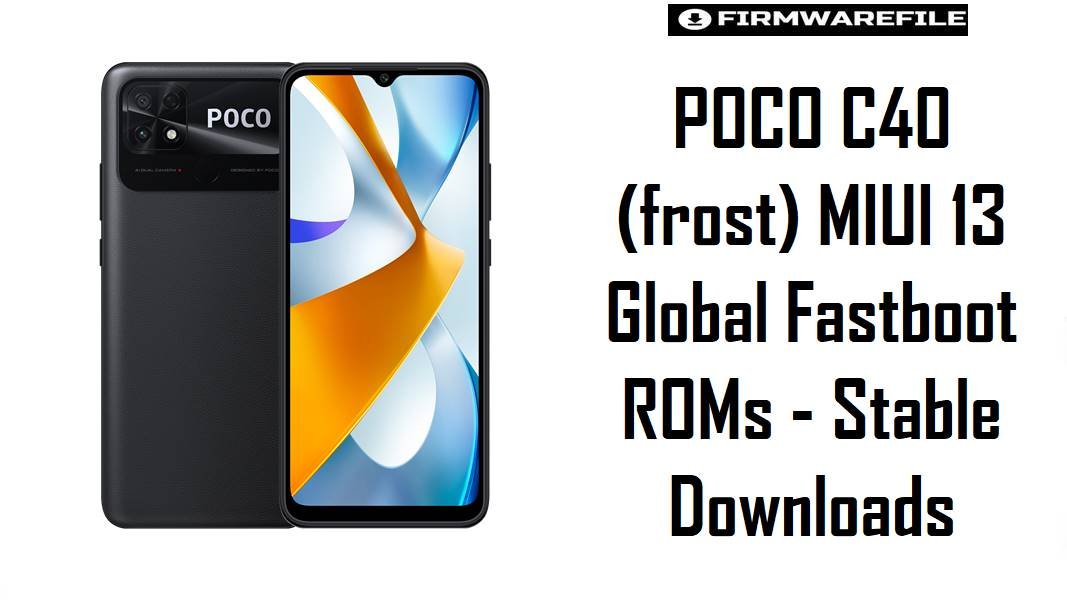
POCO C40 (frost) MIUI 13 Global Fastboot ROMs – Stable Downloads
POCO C40 (codename frost) is an affordable Xiaomi sub‑brand phone that pairs a large battery with an entry‑level processor, but users often complain about MIUI 13 lag, frame drops, and battery drain after long‑term use or incremental updates. These official MIUI 13 Android 11 fastboot ROMs let owners perform a clean reinstall or region‑matched repair, which frequently restores smoothness, fixes crash loops, and stabilizes network behavior on this JLQ/entry‑class hardware.
Download Firmware for POCO C40 (frost)
The fastboot ROMs below are official MIUI 13 Android 11 builds for POCO C40 with codename frost, sorted from newest to oldest per region. Global MIXM is usually the most common variant, while TWXM, IDXM, EUXM, RUXM, and TRXM target Taiwan, Indonesia, EEA Europe, Russia, and Turkey respectively. Newer builds generally include more bug fixes and security patches; older ones should only be flashed when specifically downgrading or troubleshooting version‑specific issues.
| Filename | Region / Variant | Build Number | Build Date | Android Version | Flashing Method | Notes | File Size | Download |
|---|---|---|---|---|---|---|---|---|
| frost_global_images_V13.0.26.0.RGFMIXM_20240305.0000.00_11.0_global_35e94a69c8.tgz | Global (MIXM) | V13.0.26.0.RGFMIXM | 2024-03-05 | Android 11 / MIUI 13 | Xiaomi Flash Tool (Fastboot) | Latest listed Global fastboot ROM for POCO C40; iterative update over earlier 13.0.x builds aimed at improving stability and patching security issues on the frost platform. Best choice for most global unlocked units. |
4.92 GB | Download From Xiaomi (Global) |
| frost_tr_global_images_V13.0.20.0.RGFTRXM_20240205.0000.00_11.0_global_f8dbda43c0.tgz | Turkey (TRXM) | V13.0.20.0.RGFTRXM | 2024-02-05 | Android 11 / MIUI 13 | Xiaomi Flash Tool (Fastboot) | Newer Turkey‑region ROM; later revision than many earlier TRXM builds, with region‑specific optimizations and security fixes for Turkish carriers. Recommended for devices sold in Turkey to keep OTA and local services aligned. | 4.48 GB | Download From Xiaomi (TR) |
| frost_ru_global_images_V13.0.17.0.RGFRUXM_20240311.0000.00_11.0_global_f27c240ddb.tgz | Russia (RUXM) | V13.0.17.0.RGFRUXM | 2024-03-11 | Android 11 / MIUI 13 | Xiaomi Flash Tool (Fastboot) | Russian market firmware with regional services and regulatory conformity; later RU build in the 13.0.17.0 line noted on ROM trackers as current for RUXM devices. Use this if original CSC is RUXM. | 4.59 GB | Download From Xiaomi (RU) |
| frost_eea_global_images_V13.0.12.0.RGFEUXM_20240305.0000.00_11.0_eea_1fd2efcccf.tgz | EEA Europe (EUXM) | V13.0.12.0.RGFEUXM | 2024-03-05 | Android 11 / MIUI 13 | Xiaomi Flash Tool (Fastboot) | EEA ROM designed for European Union markets, with GDPR‑aligned behavior and EU‑specific configuration; sits among later EUXM stable builds for POCO C40. Best pick for devices sold as EEA version. | 4.65 GB | Download From Xiaomi (EEA) |
| frost_id_global_images_V13.0.12.0.RGFIDXM_20230728.0000.00_11.0_global_4a2e35ef38.tgz | Indonesia (IDXM) | V13.0.12.0.RGFIDXM | 2023-07-28 | Android 11 / MIUI 13 | Xiaomi Flash Tool (Fastboot) | Indonesia‑specific build with local regulatory and service tuning; older than 2024 global and EEA releases but still a stable base for Indonesian POCO C40 units. Only use on devices originally sold in this market. | 4.70 GB | Download From Xiaomi (ID) |
| frost_tw_global_images_V13.0.7.0.RGFTWXM_20240117.0000.00_11.0_global_b9cc86014f.tgz | Taiwan (TWXM) | V13.0.7.0.RGFTWXM | 2024-01-17 | Android 11 / MIUI 13 | Xiaomi Flash Tool (Fastboot) | Taiwan region ROM for POCO C40; listed by official ROM indexes as one of the newer TWXM MIUI 13 builds with localized carrier settings. Recommended only for original TWXM devices. | 4.21 GB | Download From Xiaomi (TW) |
Which file is right: The safest choice is the newest MIUI 13 fastboot ROM that matches the POCO C40’s original region code—MIXM for generic Global, EUXM for EEA, RUXM for Russia, IDXM for Indonesia, TWXM for Taiwan, or TRXM for Turkey—as documented by codename databases and official ROM trackers. Cross‑flashing between these regions is possible for advanced users but may affect VoLTE, band support, or OTA behavior, so typical owners should stay on the matching CSC line.
Complete Device & Firmware Overview
- Device Name:
- POCO C40
- Codename:
frost- Model Numbers:
- 220333QPG / 220333QPI and related variants, listed under POCO C40 in device databases.
- Platform / SoC:
- Entry‑level JLQ‑based or similar budget chipset used in POCO C40, emphasizing battery life over raw performance.
- Regions / CSC:
- Global (MIXM), EEA (EUXM), Russia (RUXM), Indonesia (IDXM), Taiwan (TWXM), Turkey (TRXM).
- Firmware Family:
- MIUI 13 Stable, Android 11 base, with multiple incremental 13.0.x builds for POCO C40.
- Latest Global Build (Fastboot):
- V13.0.26.0.RGFMIXM fastboot / recovery listed as the current stable global ROM for
frost. - Security & Bug Fixes:
- Recent MIUI 13 updates for similar devices target frame‑rate drops, memory extension quirks, and minor battery drain by tuning background usage and animation timing.
- Typical Pain Points:
- Users of MIUI 13 on budget hardware report lag, delayed gestures, battery drain, and occasional app reloads; full fastboot flashing removes corrupted or leftover files from OTA chains that may worsen these issues.
- ROM Type:
- Fastboot ROMs (
frost*_global_images_*.tgz) for Xiaomi Flash Tool, intended for clean system reinstalls and unbricking. - Bootloader & ARB:
- Bootloader unlock is not strictly required for same‑region fastboot repairs on many stock units but is mandatory for cross‑region or custom ROM work; Xiaomi anti‑rollback (ARB) restricts downgrades to older builds and must be respected to avoid hard bricks.
- Required Tools:
- Xiaomi USB/Fastboot drivers, Xiaomi Flash Tool (Mi Flash), Windows PC, and a reliable USB‑C cable.
CRUCIAL WARNING: These fastboot ROMs are strictly for POCO C40 with codename frost; they must not be flashed to POCO C50 (ice), Redmi A1, or any other Xiaomi/Redmi/POCO model, because cross‑flashing across different codenames can permanently brick the device due to incompatible partitions and modem firmware.
All official frost*_global_images_*.tgz fastboot packages typically wipe user data when used with Xiaomi’s fastboot tools, and picking options such as “clean all and lock” with a mismatched or modified ROM can relock the bootloader on an unsupported build and cause bootloops, network issues, or ARB‑related brick scenarios.
Preparation Before Flashing
Click here for the POCO C40 (frost) pre‑flash checklist
- Confirm codename and region: Enter fastboot mode and verify the device codename is
frost, then cross‑check the current CSC/region (MIXM/EUXM/RUXM/IDXM/TWXM/TRXM) against firmware trackers before choosing a ROM. - Backup personal data: Fastboot flashing usually performs a full wipe; sync contacts and messages, back up photos and files to cloud or PC, and note app‑specific data that might not auto‑restore.
- Charge above 60%: A safe battery level reduces the risk of power loss during the flash, which can corrupt system or modem partitions on this low‑power device.
- Install drivers and Mi Flash: On a Windows PC, install Xiaomi USB/ADB and fastboot drivers plus Xiaomi Flash Tool; confirm that the POCO C40 is detected in fastboot with no driver errors before loading the ROM.
- Use a stable USB‑C cable: Prefer the original POCO cable and a direct motherboard USB port to minimize random disconnects while flashing ~5 GB images.
Quick Firmware Flash Instructions
The steps below summarize flashing any of the listed fastboot ROMs, such as the recommended frost_global_images_V13.0.26.0.RGFMIXM_... for global devices, using Xiaomi’s fastboot flashing tool on Windows.
- Prepare PC & ROM: Install Xiaomi USB/fastboot drivers and Xiaomi Flash Tool, then download the appropriate
frost*_global_images_*.tgz(for most users,V13.0.26.0.RGFMIXM) and fully extract it to a short, simple path likeC:\frost_rom. - Enter fastboot mode: Power off POCO C40, hold Volume Down + Power until the fastboot logo appears, and connect it to the PC via USB‑C.
- Configure Mi Flash: Open Xiaomi Flash Tool, select the extracted ROM folder (root directory that contains the images and scripts), and choose the “clean all” option to reinstall MIUI 13 while keeping the existing bootloader state.
- Flash the firmware: Click “refresh” to verify that the device is recognized, then press “flash” and wait without disconnecting the cable until the tool reports success, as it writes multiple partitions in sequence.
- First boot & optimization: After flashing, POCO C40 will reboot into MIUI 13; the first boot can take several minutes while the system optimizes apps and recalibrates resources, often resulting in smoother navigation and fewer lags than before.
For a comprehensive, screenshot‑based walkthrough of Xiaomi fastboot flashing—including anti‑rollback checks, refer to the dedicated Xiaomi Fastboot Firmware Guide, which explains the Xiaomi Flash Tool process step by step and can be followed identically for these frost ROMs.
Frequently Asked Questions (FAQs)
- Q1. Which MIUI 13 fastboot ROM is recommended for most POCO C40 users?
- The recommended option for typical global devices is the latest V13.0.26.0.RGFMIXM Global fastboot ROM, while EEA, RU, ID, TW, and TR units should use the newest matching EUXM/RUXM/IDXM/TWXM/TRXM build listed in the table and on ROM trackers.
- Q2. Can a clean flash of V13.0.26.0.RGFMIXM help with lag and frame drops?
- On many MIUI 13 phones, lag and frame drops link to memory extension and accumulated OTA leftovers; a clean fastboot flash of the latest ROM often restores smoother UI behavior and can work alongside disabling aggressive memory extension options if available.
- Q3. Is it safe to cross‑flash Global MIXM on an EEA EUXM POCO C40?
- Advanced users sometimes do cross‑flash, but differences in region settings, regulatory flags, and OTA channels mean most owners are better off staying with the matching CSC (EUXM/RUXM/etc.) to avoid subtle issues and ensure future update compatibility.
- Q4. Will these MIUI 13 ROMs upgrade POCO C40 to a newer Android version?
- No; listed builds remain on Android 11 with MIUI 13, and there is no widespread indication of Android major‑version upgrades for this budget hardware, so improvements focus on stability and security rather than platform jumps.
- Q5. What common issues should be expected if the wrong region ROM is flashed?
- Flashing a mismatched region can lead to missing or unstable VoLTE, band problems, non‑functional regional services, and OTA failure; in severe cases, modem misconfiguration may impact connectivity until reflashed with the correct firmware.
- Q6. Does fastboot flashing require an unlocked bootloader on POCO C40?
- Same‑region repair flashes using official fastboot ROMs typically work with the original bootloader configuration, but cross‑region or non‑standard operations should be performed only with an unlocked bootloader and full awareness of Xiaomi’s anti‑rollback rules.
- Q7. How do these ROMs affect battery life compared with older MIUI versions?
- MIUI 13 is designed to reduce frame drops and optimize background usage, and later C40 builds incorporate fixes for update‑induced drain; results vary, but clean flashing a current build often reduces random overnight drain compared with heavily modified or outdated setups.