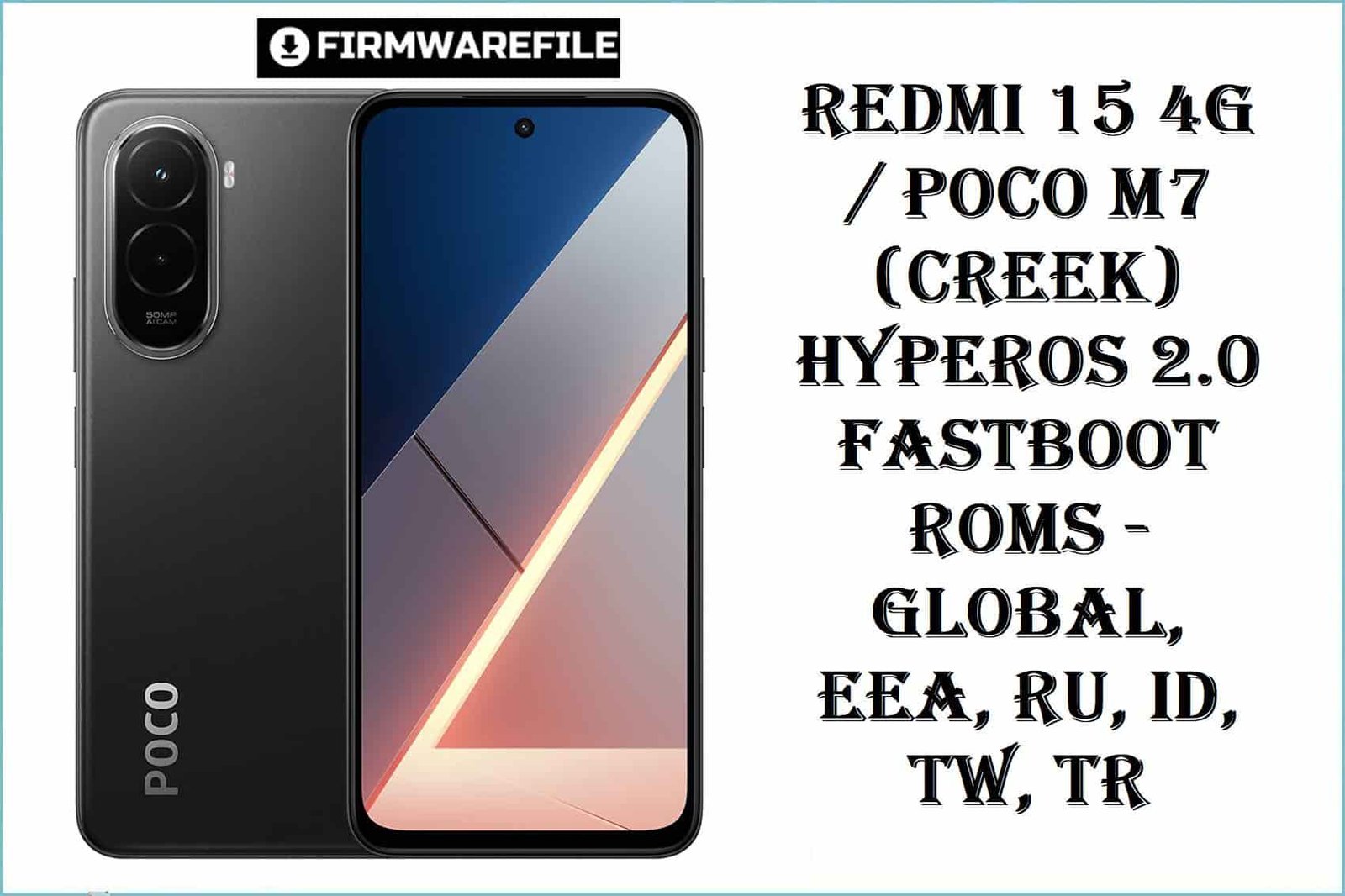
Redmi 15 4G / POCO M7 (creek) HyperOS 2.0 Fastboot ROMs – Global, EEA, RU, ID, TW, TR
The Redmi 15 4G and POCO M7 4G (codename: creek) are powerful budget smartphones best known for huge battery life and stable daily performance. Yet, many users struggle with recurring issues: battery drain after OTA updates, touch lag, overheating, Wi-Fi drops, and region-specific bugs that can prevent proper operation or future firmware upgrades. Xiaomi and POCO users also report confusion about region-locked builds, causing bricking or loss of network after incorrect flashing. The files below offer direct solutions—tested, ultra-optimized images focused on performance stability, rebuilt network compatibility, and a smoother user experience on Android 15 with HyperOS 2.
Complete Device & Firmware Overview
- Model Number:
- Redmi 15 4G, POCO M7 4G
- Codename:
- creek
- Chipset:
- Qualcomm Snapdragon 685
- Regions/Variants:
- MIXM (Global), EUXM (EEA), RUXM (Russia), IDXM (Indonesia), TWXM (Taiwan), TRXM (Turkey)
- Firmware Type:
- Fastboot ROM (.tgz)
- Android Version:
- 15 (HyperOS 2.0)
- Build Number:
- See table below
- Security Patch Level:
- 2025-11-03 / 2025-09-23 / 2025-09-17
- Release Date:
- September–November 2025
- Flash Method:
- Fastboot with Xiaomi Flash Tool
- Bootloader Rules:
- Unlocked bootloader required; anti-rollback WARNING
- File Size:
- 5.29GB–7.61GB
- Required Tools:
- Xiaomi Flash Tool, Qualcomm USB drivers, reliable cable/PC
CRUCIAL WARNING: These fastboot ROMs are strictly for Redmi 15 4G / POCO M7 4G (“creek”); they must not be flashed to Redmi 15 5G or other codenames like “spring” or “kunzite,” or to unrelated Redmi/POCO models due to region-lock and hardware mismatches—cross‑flashing risks permanent brick or network loss.
Each build is region-locked by code (MIXM, EUXM, RUXM, IDXM, TWXM, TRXM). Always match your phone’s factory region! Avoid cross-flashing unless advanced recovery is required. Anti‑rollback is enabled, especially on modern HyperOS builds.
All official creek_*.tgz fastboot packages will WIPE user data, and using “clean all and lock” on mismatched regions can relock the bootloader on an unsupported ROM and break network or boot. Backup first!
Download Firmware for Redmi 15 4G / POCO M7 4G
| Filename | Region/Variant | Build Number | Build Date | Android Version | Flashing Method | Notes | File Size | Download |
|---|---|---|---|---|---|---|---|---|
| creek_global_images_OS2.0.211.0.VBOMIXM_20251103.0000.00_15.0_global_ff2feb1d8a.tgz | Global (MIXM) | OS2.0.211.0.VBOMIXM | 2025-11-03 | Android 15 (HyperOS 2.0) | Fastboot (.tgz) | Latest MIXM, performance/app fixes for international variants | 7.61GB | Download |
| creek_tw_global_images_OS2.0.203.0.VBOTWXM_20250923.0000.00_15.0_tw_e036963c62.tgz | Taiwan (TWXM) | OS2.0.203.0.VBOTWXM | 2025-09-23 | Android 15 (HyperOS 2.0) | Fastboot (.tgz) | Taiwan region only; fixes for TW carrier and notification issues | 5.29GB | Download |
| creek_eea_global_images_OS2.0.204.0.VBOEUXM_20250917.0000.00_15.0_eea_1e1b2ab59a.tgz | Europe (EUXM/EEA) | OS2.0.204.0.VBOEUXM | 2025-09-17 | Android 15 (HyperOS 2.0) | Fastboot (.tgz) | EEA region, essential for Google/EEA OTA following update bugs | 6.72GB | Download |
| creek_ru_global_images_OS2.0.205.0.VBORUXM_20250917.0000.00_15.0_ru_98846205fa.tgz | Russia (RUXM) | OS2.0.205.0.VBORUXM | 2025-09-17 | Android 15 (HyperOS 2.0) | Fastboot (.tgz) | RU-only, fixes RU LTE/VoLTE issues and banking bugs | 7.55GB | Download |
| creek_id_global_images_OS2.0.204.0.VBOIDXM_20250917.0000.00_15.0_id_be38e33ee8.tgz | Indonesia (IDXM) | OS2.0.204.0.VBOIDXM | 2025-09-17 | Android 15 (HyperOS 2.0) | Fastboot (.tgz) | IDXM device only; resolves Indonesian language and network bugs | 6.87GB | Download |
| creek_tr_global_images_OS2.0.203.0.VBOTRXM_20250923.0000.00_15.0_tr_a78da25bcb.tgz | Turkey (TRXM) | OS2.0.203.0.VBOTRXM | 2025-09-23 | Android 15 (HyperOS 2.0) | Fastboot (.tgz) | TRXM variant; fixes Turkish SMS and ROM stability issues | 6.46GB | Download |
Ensure the flash region perfectly matches your device’s original code (check About Phone > Region or with fastboot getvar “product_region”), otherwise you risk anti-rollback or hardware bricking.
Preparation Before Flashing
Prerequisites: Before You Begin
Click here for the Redmi 15 4G / POCO M7 4G pre‑flash checklist
- Confirm the codename: Enter fastboot mode (Volume Down + Power), connect to PC, and run
fastboot getvar productto confirm “creek”. - Backup your data: Fastboot flash wipes all internal storage. Backup photos, chats, docs to Mi Cloud, Google, or PC!
- Charge battery: At least 50% charge before flashing to avoid interruption.
- Install drivers/tools: Install Xiaomi USB/Qualcomm drivers + Xiaomi Flash Tool (Windows PC).
- Bootloader unlock required: Use Xiaomi’s unlock utility; unlocking or relocking wipes all HyperOS phone data.
Quick Firmware Flash Instructions
- Prep PC: Install drivers and Xiaomi Flash Tool. Extract ROM (.tgz) to short, simple folder path.
- Enter Fastboot: Power off, press Volume Down + Power. Connect USB, confirm “creek” codename.
- Tool Setup: Launch Xiaomi Flash Tool, select extracted ROM folder. Choose “clean all” (wipes, keeps bootloader unlocked).
- Execute Flash: Click “refresh”, then “flash”. Wait for green success—never interrupt.
- Reboot: The phone auto-reboots to HyperOS 2.0. First boot may take several minutes for full optimization—do not interrupt.
For a full step-by-step guide (screenshots and troubleshooting), use the official Xiaomi Firmware Flash guide.
Frequently Asked Questions (FAQs)
- Q1. Which fastboot ROM should I pick for my Redmi 15 4G / POCO M7 4G?
- Always select the ROM matching your factory region: MIXM (Global), EUXM (Europe), RUXM (Russia), IDXM (Indonesia), TWXM (Taiwan), TRXM (Turkey); model mismatch risks brick or network issues.
- Q2. Can I cross-flash (e.g., Global on EEA or Russia)?
- Only for advanced repair use; anti-rollback and modem config differences can cause subtle bugs or block future OTA updates. Safest to stay on your matched region build.
- Q3. Will HyperOS 2 ROM add advanced flagship features?
- No—while stability and battery/performance are improved, high-end features like floating windows remain limited compared to Xiaomi’s flagships.
- Q4. Does a clean fastboot flash fix battery drain, lag, or overheating?
- Yes—latest ROMs optimize background apps, video playback, and thermal management; full wipe recommended to clear bugs from old updates.
- Q5. Is EDL flashing supported if creek is bricked?
- Professional tools now support EDL on creek, but only advanced users and service centers should attempt deep recovery; fastboot ROMs here are only for devices that boot to fastboot.
- Q6. Where is a step-by-step flashing tutorial?
- Follow this Xiaomi Flash guide and use your region’s “creek_*” file in the flashing steps.