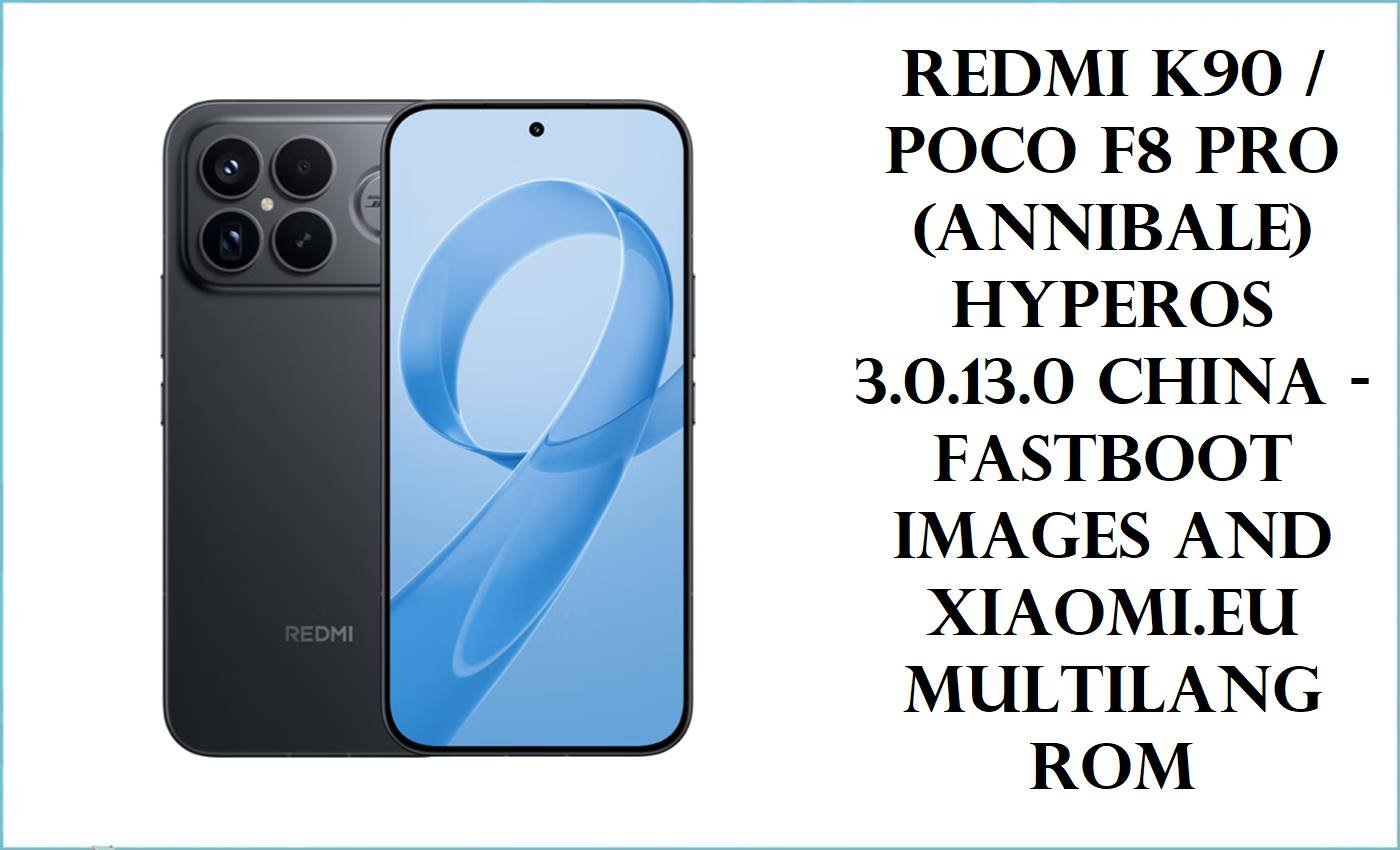
Redmi K90 / POCO F8 Pro (annibale) Firmware Flashing Guide
The Xiaomi Pad 8 (codename yupei) was announced on September 25, 2025, and represents a compelling mid-range tablet powered by the cutting-edge Qualcomm Snapdragon 8s Gen 4 chipset, paired with HyperOS 3 and Android 16. With an 11.2-inch 3200×2136 pixel 144 Hz IPS LCD display, 9200 mAh battery, and support for 45W fast charging, this device delivers flagship-grade performance in a tablet form factor. The Pad 8 focuses on productivity, content consumption, and demanding applications without the premium pricing of its Pro sibling. However, users upgrading from earlier HyperOS versions or encountering software instability may need to flash the official firmware to restore functionality.
⚠️ CRUCIAL WARNING: This device runs a Qualcomm Snapdragon 8s Gen 4 chipset and requires QFIL (not standard fastboot flashing). Recovery ROM flashing will permanently erase all data on the tablet. The Pad 8 China ROM has bootloader unlock restrictions requiring either a paid service or developer account binding. Additionally, after HyperOS upgrades, some users report the 144 Hz refresh rate becomes locked at 120 Hz system-wide—a potential display scaling limitation that stock flashing may help resolve. This guide is for the China region only; global users should not use this firmware.
Prerequisites: Before You Begin
Click Here for the Essential Pre-Flashing Checklist
- Backup Your Data: All photos, documents, apps, and settings stored on the Pad 8 will be permanently deleted during recovery ROM flashing.
- Charge the Battery: The Pad 8’s 9200 mAh battery should be charged to at least 50% to prevent power loss during flashing, which would hard-brick the device.
- Windows PC with USB 3.0 Port: QFIL requires a Windows 10/11 computer and a reliable USB-C data cable (do not use charging-only cables).
- Qualcomm Drivers Installed: You must install the Qualcomm HS-USB QDLoader 9008 drivers and QPST framework before attempting any flashing.
- No Bootloader Unlock Needed: Unlike fastboot flashing on global devices, QFIL flashing does not require an unlocked bootloader.
- Disable Antivirus Temporarily: Windows Defender or third-party antivirus may interfere with QFIL; disable them during the flashing process.
Xiaomi Pad 8 (yupei) Firmware Details
- Device Name
- Xiaomi Pad 8 (China Region)
- Codename
- yupei
- Model Number
- 25097RP43C
- Chipset
- Qualcomm Snapdragon 8s Gen 4 (SM8735, 4nm process), Adreno 825 GPU
- CPU Architecture
- Octa-core: 1× Cortex-X4 @ 3.21 GHz + 3× Cortex-A720 @ 3.0 GHz + 2× Cortex-A720 @ 2.8 GHz + 2× Cortex-A520 @ 2.0 GHz
- RAM
- 8 GB LPDDR5X or 12 GB LPDDR5T (depending on variant)
- Storage
- 128 GB UFS 3.1 or 256 GB UFS 4.1 (non-expandable)
- Display
- 11.2-inch IPS LCD, 3200×2136 pixels, 144 Hz refresh rate, 800 nits peak brightness, 68B color support
- Battery
- 9200 mAh non-removable, 45W wired charging via USB-C
- HyperOS Version
- HyperOS 3
- Android Version
- Android 16
- Firmware Build
- OS3.0.7.0.WPZCNXM (October 10, 2025 build date)
- Flashing Tool Required
- QFIL (Qualcomm Flash Image Loader) with QPST framework
- File Type
- Recovery ROM format (TGZ archive for QFIL)
- Notable Features
- Dual stereo speakers with Dolby Atmos, Wi-Fi 7 support, Bluetooth 5.4 with LHDC 5.0, infrared remote, 13 MP rear camera, 8 MP front camera
- Region / Availability
- China only; may not include Google Play Services
Required Tools & Downloads
| Tool / Driver | Download Source | Purpose |
|---|---|---|
| QFIL (v5.2 or later) | QPST Suite Download | Primary flashing tool for Qualcomm devices; reads firmware and communicates with EDL mode |
| Qualcomm HS-USB QDLoader 9008 Drivers | GSM USB Driver Hub | Enables Windows to recognize the Pad 8 in EDL (Emergency Download) mode |
| Android SDK Platform Tools (ADB & Fastboot) | Official Android Developer | Command-line utilities to manage device boot modes and verify connections |
Xiaomi Pad 8 (yupei) China Recovery ROM Details
| Filename | yupei_images_OS3.0.7.0.WPZCNXM_20251010.0000.00_16.0_cn_1277bc6c85.tgz |
|---|---|
| Android Version | Android 16 |
| HyperOS Build | OS3.0.7.0.WPZCNXM |
| Build Date | October 10, 2025 |
| File Type | TGZ (TAR GZIP) recovery archive for QFIL flashing |
| File Size | 10.32 GB |
| Download Link | Official Xiaomi OTA Server |
| Region | China (mainland); does not include Google Play Services or Google Play Store |
| Flashing Method | Recovery ROM flashing via QFIL (wipes all user data) |
| Bootloader Lock Status | Remains locked after flashing (no unlock required for recovery ROM method) |
Quick Flashing Guide
This guide uses the Recovery ROM method with QFIL, which is the standard approach for bricked or heavily corrupted devices. For a more detailed, step-by-step tutorial on QFIL flashing, including EDL mode boot procedures and troubleshooting, please refer to our comprehensive flashing guide:
Full Tutorial: How to Flash Qualcomm Smartphones with QFIL
Recovery ROM Flashing Steps (Qualcomm QFIL Method):
- Extract the Firmware: Download the file
yupei_images_OS3.0.7.0.WPZCNXM_20251010.0000.00_16.0_cn_1277bc6c85.tgzand extract the TGZ archive to a folder on your PC (e.g.,C:\Xiaomi_Pad8_Firmware). - Install Drivers and Tools: Install the Qualcomm QDLoader 9008 drivers and QFIL (part of QPST) on your Windows PC. Launch
QFIL.exefrom the QPST installation folder. - Load Firmware in QFIL: In QFIL, click “File > Select Build Type” and choose “Flat Build”. Then select “Load Content” and browse to the extracted firmware folder, selecting the appropriate
rawprogram0.xmlandpatch0.xmlfiles. - Boot Pad 8 to EDL Mode: Power off the Pad 8 completely. While holding Volume Up + Volume Down buttons, connect the tablet to your PC via USB-C. Once the Qualcomm HS-USB QDLoader 9008 driver appears in Device Manager, the tablet is in EDL mode.
- Start Flashing: In QFIL, click the green “Download” button. The flashing process will begin automatically and take 5–15 minutes depending on USB speed and storage capacity. Do not disconnect or interrupt the process.
- Verify and Reboot: Once you see the green checkmark and success notification in QFIL, disconnect the Pad 8 and press the power button to force a reboot. The device will boot into HyperOS 3 with a fresh system.
Frequently Asked Questions (FAQs)
- Q1. My Xiaomi Pad 8 (yupei) is stuck at 120 Hz instead of 144 Hz. Will flashing this firmware fix it?
- Possibly. Multiple Xiaomi Pad users on the Pad 6, Pad 6S Pro, and Pad 7 have reported that HyperOS 2.0 and 3.0 updates lock the display to 120 Hz system-wide, even though the panel supports 144 Hz. Some users fixed this by reverting to earlier HyperOS versions. Flashing a clean recovery ROM of OS3.0.7.0.WPZCNXM may reset the display scaler; however, if Xiaomi has intentionally capped refresh rate in this build for thermal or battery management, the issue will persist. Check the HyperOS changelog on Xiaomi’s community forums to confirm whether this build addresses refresh rate limiting.
- Q2. I bought my Pad 8 from China but want to flash the Global or EU ROM. Can I use this firmware file first?
- This firmware is specifically for the China region and will not help you switch to Global. To flash a Global ROM, you must first unlock the bootloader using the Mi Unlock Tool or a bootloader unlock service (China tablets often require paid services due to Xiaomi’s geographic restrictions). Once unlocked, you can use fastboot to flash the Global ROM. Attempting to flash the China recovery ROM via QFIL does not require bootloader unlocking, but it will keep you in the China ecosystem.
- Q3. What does “yupei” mean, and how do I verify I have the correct device?
- “yupei” is Xiaomi’s internal codename for the standard Xiaomi Pad 8. The Pro model uses the codename “piano” with the Snapdragon 8 Elite. To confirm your device is the correct one for this firmware, go to Settings > About > More Details and check for model number 25097RP43C or execute
adb shell getprop ro.product.deviceon your PC; it should return “yupei”. If your model shows a different code or “piano,” this firmware is incompatible. - Q4. Can I use QFIL to downgrade from a later HyperOS version to OS3.0.7.0.WPZCNXM?
- Yes, QFIL recovery ROM flashing does not perform security checks that prevent downgrading (unlike fastboot fastboot mode). You can flash OS3.0.7.0.WPZCNXM over a newer HyperOS build; all user data will be erased, and the device will boot into the October 2025 build. However, if the tablet has a newer bootloader or security patch, some hardware-level features may be incompatible—this is rare for Qualcomm devices but worth testing on a non-critical device first.
- Q5. The Pad 8 shows “frequent switching between earpiece” in the changelog. What does this mean?
- This changelog entry refers to audio playback behavior on tablets with multiple speaker configurations. The Pad 8 has quad stereo speakers (left and right stereo pair, dual). The fix optimizes when the system switches audio output between different speaker combinations to prevent unexpected audio dropouts or balance shifts during video calls, media playback, or app switching. Users should notice more consistent audio routing after this firmware update.
- Q6. Is it safe to flash the China ROM if I plan to use Google services?
- China ROMs do not include Google Play Services, Google Play Store, or Google apps pre-installed. You can sideload them or use third-party app markets, but this requires additional steps and carries security risks. If you rely on Google services, strongly consider purchasing a Global variant or attempting bootloader unlock to flash the Global ROM instead.