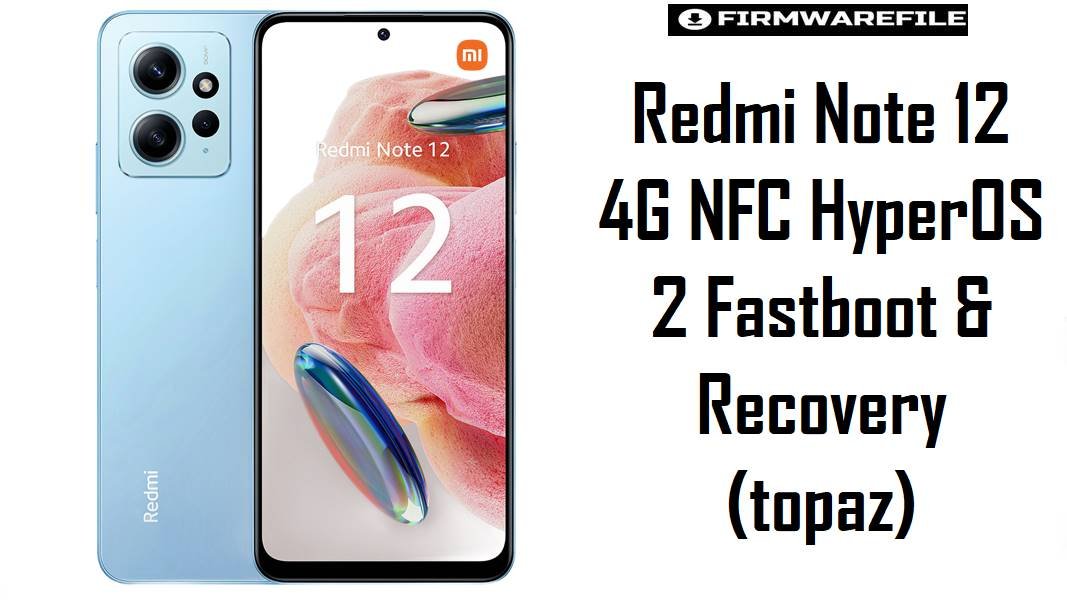
Redmi Note 12 4G NFC HyperOS 2 Fastboot & Recovery (topaz)
The Redmi Note 12 4G NFC (codename topaz) is a budget AMOLED phone with Snapdragon 685, often used as a daily driver with occasional gaming and NFC payments. On HyperOS 2 (Android 15), choosing the correct regional firmware and recovery is important to keep bank apps, NFC, and network performance stable while still allowing safe modding and recovery from soft bricks.
Download Firmware for Redmi Note 12 4G NFC (topaz)
These are HyperOS 2 Android 15 fastboot ROMs for different regions, one Xiaomi.eu build based on the Global branch, and an official TWRP image for topaz. Use the latest build that matches your original region unless you have a specific, tested reason to downgrade or cross‑flash.
| Filename | Region | Build / Channel | Release Window | Android / OS | Flashing Method | Size | Patch Level (est.) | Best For | Notes / Download |
|---|---|---|---|---|---|---|---|---|---|
| topaz_eea_global_images_OS2.0.205.0.VMGEUXM_20251104.0000.00_15.0_eea_77efc38cc1.tgz | EEA (EU) | OS2.0.205.0 VMGEUXM – Stable | Early Nov 2025 | Android 15 / HyperOS 2 | Fastboot (Mi Flash / fastboot) | 6.63 GB | Around Nov/Dec 2025 | Redmi Note 12 4G NFC units officially sold in EU/EEA markets needing CE‑compliant firmware and EU carrier behavior. | This is a late‑cycle EEA HyperOS 2 fastboot ROM and should be the default choice for EEA units transitioning from older HyperOS 2.0.9.0 or MIUI 14. Older EEA ROMs stay relevant only for reproducing bugs or staged downgrades; for day‑to‑day use, this release is the recommended baseline. Download EEA Fastboot |
| topaz_global_images_OS2.0.202.0.VMGMIXM_20251010.0000.00_15.0_global_f18895ec7c.tgz | Global (MI) | OS2.0.202.0 VMGMIXM – Stable | Oct 2025 | Android 15 / HyperOS 2 | Fastboot (Mi Flash / fastboot) | 7.00 GB | Likely Oct/Nov 2025 | Most Redmi Note 12 4G NFC global devices (e.g., 23021RAA2Y) needing a clean stock base for daily use with NFC payments and banking apps. | This Global ROM comes after earlier HyperOS 2 versions such as OS2.0.9.0 VMGMIXM and supersedes Android 14 HyperOS 1 releases listed on firmware aggregators. It is the go‑to fastboot package for unbricking and re‑stocking Global units; older Global fastboot ROMs should be reserved for controlled downgrades or regression testing only. Download Global Fastboot |
| topaz_ru_global_images_OS2.0.202.0.VMGRUXM_20251015.0000.00_15.0_ru_eaabba767d.tgz | Russia (RU) | OS2.0.202.0 VMGRUXM – Stable | Mid Oct 2025 | Android 15 / HyperOS 2 | Fastboot (Mi Flash / fastboot) | 7.04 GB | Likely Oct 2025 | Russian Redmi Note 12 4G NFC devices needing localized apps and RU‑specific network configuration on HyperOS 2. | Firmware archives show OS2.0.2.0 VMGRUXM as an earlier RU HyperOS 2 build; this OS2.0.202.0 package is a later iteration with updated Android 15 base and patches. It is strongly preferred for RU units over older MIUI 14 or early HyperOS unless you are reproducing a specific bug tied to those versions. Download Russia Fastboot |
| topaz_id_global_images_OS2.0.202.0.VMGIDXM_20251015.0000.00_15.0_id_f70b9c471e.tgz | Indonesia (ID) | OS2.0.202.0 VMGIDXM – Stable | Mid Oct 2025 | Android 15 / HyperOS 2 | Fastboot (Mi Flash / fastboot) | 6.43 GB | Likely Oct/Nov 2025 | Indonesian Redmi Note 12 4G NFC units that require local band support, regulatory compliance, and OTA behavior specific to the ID market. | Previous Indonesian HyperOS releases (for example OS2.0.2.0 VMGIDXM mentioned for recovery packages) are now older baselines compared with this fastboot build. Use this ROM when performing a full clean install or after custom ROM experiments; keep at least one copy so you can revert from a problematic update if required. Download Indonesia Fastboot |
| xiaomi.eu_TOPAZ_OS2.0.202.0.VMGMIXM_15.zip | xiaomi.eu Custom (Global‑based) | OS2.0.202.0 VMGMIXM – Custom ROM | Based on Oct 2025 Global build | Android 15 / HyperOS 2 (modded) | Custom recovery (TWRP) | 4.84 GB | Follows base OS patches | Experienced users who want a de‑bloated, multi‑language ROM derived from Global HyperOS 2 while staying close to stock behavior. | This Xiaomi.eu ROM builds directly on OS2.0.202.0 VMGMIXM, so it roughly tracks the same security level and Android version but with extra tweaks and changes in apps and settings. It requires an unlocked bootloader and TWRP, and it disables stock OTA in favor of manual zip updates; always keep an official VMGMIXM fastboot ROM stored in case you need to revert. Download Xiaomi.eu ROM |
| twrp-3.7.1_12-0-topaz-TeamWin.img | All topaz variants (official TWRP) | TWRP 3.7.1_12-0 – Custom recovery | Android 13–15 capable build | Recovery environment only | Boot/flash via fastboot | 105 MB | N/A | Users who need reliable decryption, backup, and ROM flashing for Redmi Note 12 4G NFC with official TWRP support. | This TeamWin image targets the topaz platform directly and is suited for flashing Xiaomi.eu or other custom ROMs as well as taking Nandroid backups. Best practice is to first use fastboot boot twrp-3.7.1_12-0-topaz-TeamWin.img to test decryption and touch input before installing it permanently as the main recovery, especially on newer Android 15 builds.Download TWRP Image |
Complete Device & Firmware Overview
- Device Name
- Redmi Note 12 4G NFC, codename
topaz, closely related to non‑NFCtapasvariants. - Model Numbers
- Common codes include 23021RAA2Y and regional variants for EEA, RU, and ID markets; always cross‑check against firmware listings.
- Chipset
- Qualcomm Snapdragon 685 (SM6225, 6 nm), an efficiency‑oriented SoC that handles social apps and light gaming but is not a flagship gaming chip.
- Display
- 6.67″ FHD+ AMOLED 120 Hz panel; firmware influences touch smoothness, color tuning, and battery usage more than raw refresh capability.
- Memory & Storage
- 4/6/8 GB LPDDR4X RAM and 64/128/256 GB UFS 2.2 storage with microSD expansion, offering enough headroom for typical HyperOS 2 usage.
- Battery
- 5000 mAh Li‑Po battery with typical 33 W charging, where HyperOS updates mainly adjust background behavior and thermal limits.
- Original OS
- Shipped with Android 13 and MIUI 14, later upgraded to HyperOS 1 on Android 14 and now HyperOS 2 on Android 15 in many regions.
- Firmware Types Listed
- Android 15 HyperOS 2 fastboot ROMs (
.tgz) for Global/EEA/RU/ID, one Xiaomi.eu HyperOS 2 zip, and an official TWRP recovery image. - Security Patch Level
- OS2.0.2xx.x builds typically carry late‑2025 Android security patches, ahead of the earlier OS2.0.8.0 and MIUI 14 releases.
- NFC & Payments
- NFC is present on
topazbut absent on regular tapas; firmware choice can impact wallet apps, so mixing codenames is unsafe. - Bootloader Status
- OTA updates and standard operation work with a locked bootloader; fastboot ROM flashing, Xiaomi.eu, and TWRP require an unlocked bootloader.
- Bootloader Rules
- Relocking is safe only on official, unmodified firmware for your exact region; relocking on Xiaomi.eu or cross‑region ROMs risks bootloops or data corruption.
- Fastboot ROM Size
- Fastboot packages range from about 6.4 to 7.0 GB depending on region and preloaded content, so free disk space and a stable connection are required.
- Required Tools
- Windows PC, Qualcomm drivers, Xiaomi Mi Flash Tool (or fastboot scripts for advanced users), ADB/fastboot, and a good USB‑C cable.
- Typical Use Cases
- Recovering from bootloops after mods, moving from custom ROMs back to stock, or performing a clean upgrade to a newer HyperOS branch.
- Who Should Avoid Fastboot Flashing
- Users satisfied with OTA performance who rely heavily on NFC payments and banking apps; for them, OTA via Settings is safer than manual fastboot flashing.
CRUCIAL WARNING: These HyperOS fastboot ROMs and custom builds are strictly for Redmi Note 12 4G NFC devices with codename topaz. They must not be flashed to Redmi Note 12 4G (tapas), Redmi Note 12 5G, or any other model with a different codename, even if the hardware looks similar.
All official topaz_*_images_*.tgz fastboot packages generally wipe user data when flashed with Xiaomi’s tools, and choosing aggressive options like “clean all and lock” on cross‑region or modified firmware can relock the bootloader on unsupported images and cause bootloops or loss of mobile network and NFC functionality.
Preparation Before Flashing
Show essential preparation checklist for Redmi Note 12 4G NFC (topaz)
- Check under Settings > About phone that the device is Redmi Note 12 4G NFC, then boot into fastboot and run
fastboot getvar productto confirm the codename istopaz, nottapasor another variant. - Identify your original region from the current build ID (VMGMIXM Global, VMGEUXM EEA, VMGRUXM RU, or VMGIDXM ID) and pick the matching HyperOS 2 fastboot ROM; avoid random region switches just to change preinstalled apps.
- Back up NFC cards where applicable, authenticator codes, banking apps, photos, and internal data; a clean fastboot flash will typically erase the entire internal storage.
- Install Qualcomm drivers, Mi Flash Tool, and ADB/fastboot on a stable Windows PC, then connect the phone in fastboot mode and verify that it is detected properly before loading any firmware.
- Charge to at least 60% and use a known‑good USB‑C cable; a disconnect during flashing can leave the device stuck in fastboot or in a state that requires more complex recovery procedures.
Quick Firmware Flash Instructions
These steps summarize flashing official HyperOS 2 fastboot ROMs and using Xiaomi.eu with TWRP; follow the linked guides for complete detail and troubleshooting.
Official HyperOS 2 fastboot ROMs (.tgz – Global / EEA / RU / ID)
- Download the correct fastboot ROM for your region (for example, OS2.0.202.0 VMGMIXM for Global or OS2.0.205.0 VMGEUXM for EEA) and extract the
.tgzarchive to a simple folder path on your PC. - With the bootloader unlocked, power off the Redmi Note 12 4G NFC, hold Volume Down + Power to enter fastboot mode, and connect it via USB‑C to the computer.
- Open Xiaomi Mi Flash Tool, select the folder containing the extracted
topaz_*_images_*.tgzfiles, click “refresh” to detect the device, and choose a flash option that does not relock the bootloader if you are cross‑flashing or plan to keep TWRP/Xiaomi.eu. - Start the flash and wait until Mi Flash reports success; do not unplug the cable or close the tool earlier, as this can corrupt system or modem partitions.
- After the phone reboots into HyperOS 2, complete the setup wizard, verify IMEI, NFC, and data connectivity, then check for further OTA updates within the same regional track.
For a full Xiaomi/Redmi fastboot guide with screenshots and extra checks, use: How to flash Xiaomi firmware with Mi Flash Tool.
Xiaomi.eu ROM & TWRP recovery on topaz
- Ensure the bootloader is unlocked, copy
xiaomi.eu_TOPAZ_OS2.0.202.0.VMGMIXM_15.zipto internal storage, and keep a matching Global VMGMIXM fastboot ROM available on your PC as a recovery fallback. - Boot into fastboot mode and use
fastboot boot twrp-3.7.1_12-0-topaz-TeamWin.imgto start TWRP temporarily; verify that it can decrypt your data and that touch works correctly before installing it. - From TWRP, create backups where possible, then wipe the recommended partitions (typically system, vendor, cache, and data when migrating from stock) and flash the Xiaomi.eu ROM zip.
- Reboot into system and allow extra time for the first HyperOS 2 boot; test NFC, cameras, and key apps before adding Magisk modules or other heavy tweaks.
- If TWRP behaves reliably, you may install it to the recovery partition; otherwise, continue booting it via fastboot to minimize risk from recovery updates that might break decryption on future builds.
For fastboot‑level concepts that apply alongside TWRP, refer to: How to flash Android firmware using fastboot.
Frequently Asked Questions (FAQs)
1. How do I confirm that my phone is the NFC “topaz” variant and not the regular Redmi Note 12 4G (tapas)?
In fastboot mode, run fastboot getvar product; an NFC model for this page must report topaz, while non‑NFC variants report tapas. You can also check the presence of NFC in Settings > Connection & sharing and compare your model code with topaz‑specific firmware pages.
2. Is it safe to flash Global VMGMIXM on an EEA VMGEUXM Redmi Note 12 4G NFC just to get rid of some EU bloat?
Global firmware usually boots on EEA hardware, but it may change regulatory settings, OTA paths, and some region‑specific behaviors. For most users, differences in preinstalled apps do not justify the risk; staying on VMGEUXM or moving to Xiaomi.eu is a more controlled way to slim down the system.
3. Will HyperOS 2 OS2.0.202.0 VMGMIXM or OS2.0.205.0 VMGEUXM significantly improve gaming performance on Snapdragon 685?
New HyperOS 2 builds can smooth scheduler behavior and thermal management, slightly reducing frame drops and stutters in light 3D games. However, overall gaming capability is still limited by Snapdragon 685 and thermals; lowering graphics settings and refresh rate often has more effect than moving between close firmware versions.
4. Does Xiaomi.eu for topaz keep NFC payments working like the stock Global ROM?
Xiaomi.eu is based on Global firmware and generally retains NFC support, but its behavior with bank and wallet apps depends on SafetyNet/Play Integrity and any root setup. For users who rely heavily on contactless payments and cannot tolerate failures, staying completely stock is the lowest‑risk option.
5. How does the official TWRP 3.7.1_12-0-topaz build handle Android 15 encryption?
TWRP 3.7.x builds are designed for newer Android and often include fixes for decryption and metadata handling, but each device/ROM combination still needs real‑world testing. The safest approach is to fastboot boot the image first, verify decryption and backups on your current HyperOS build, and only then decide whether to install it permanently.
6. What is the safest way to recover from a failed custom ROM flash or Magisk module on topaz?
If recovery still works, boot TWRP, remove the offending module or re‑flash the ROM’s boot/image as instructed by the ROM maintainer. If only fastboot is available, flashing the latest matching HyperOS 2 fastboot ROM for your region (for example, OS2.0.202.0 VMGMIXM Global or OS2.0.205.0 VMGEUXM EEA) is usually the most reliable path back to a clean, working system.