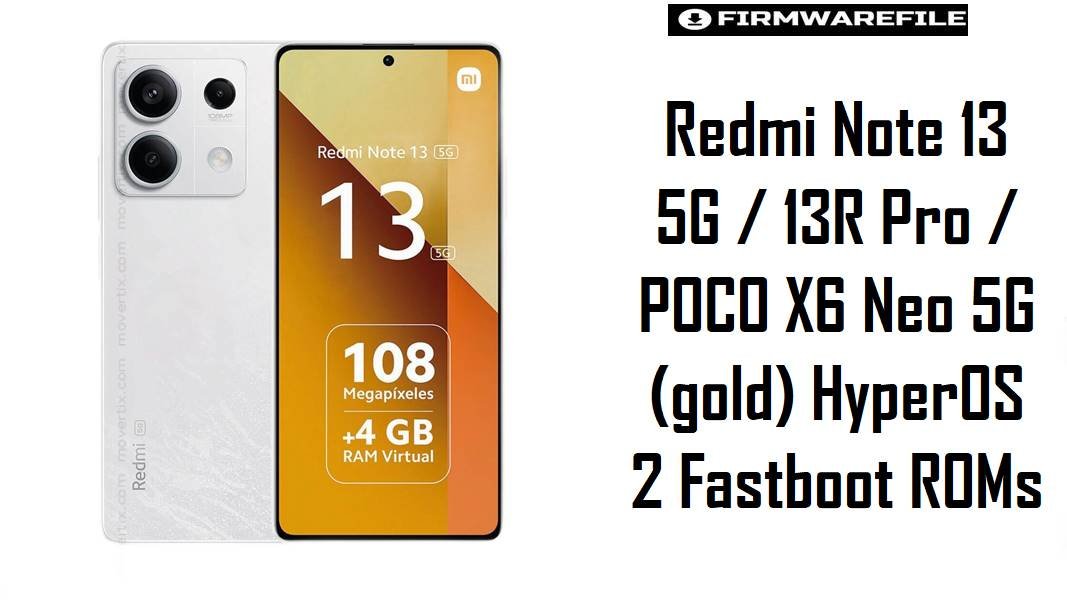
Redmi Note 13 5G / 13R Pro / POCO X6 Neo 5G (gold) HyperOS 2 Fastboot ROMs
Redmi Note 13 5G (codename gold) is a high-volume midrange Xiaomi/Redmi model (also sold as Redmi Note 13R Pro and POCO X6 Neo 5G in some markets), so small HyperOS bugs can affect a lot of users quickly.
Recent complaints commonly center on sudden overheating during light apps (social, browsing) and “post-update” battery/idle drain behavior that feels abnormal compared with earlier builds.
The fastboot firmware packages below help restore stability by reinstalling the OS cleanly (often resolving lingering update residue), as long as you flash the exact matching region build for your device.
Download Firmware for Redmi Note 13 5G (gold)
Clarity note: “gold” is used for Redmi Note 13 5G / Redmi Note 13R Pro / POCO X6 Neo 5G, so always confirm your codename and region suffix before flashing.
(Caution — compact): Flash only the exact gold ROM that matches your region suffix (CNXM/MIXM/EUXM/INXM/IDXM/TWXM/TRXM/IDC). Wrong variant, damaged archives, or unsafe lock options can cause data loss, boot loops, or network problems—double-check codename + region before flashing.
| Filename | Region/Variant | Build Number | Build Date | Android Version | Flashing Method | Notes | File Size | Download |
|---|---|---|---|---|---|---|---|---|
| gold_id_global_images_OS2.0.207.0.VNQIDXM_20251106.0000.00_15.0_id_83f3c092be.tgz | Indonesia (IDXM) | OS2.0.207.0.VNQIDXM | 2025-11-06 | Android 15 | Xiaomi Flash Tool (Fastboot.tgz) | Best for IDXM units; choose this if your phone shipped with ID firmware and you’re troubleshooting heat or drain after updating. | 7.09GB | Download From Xiaomi (bigota) |
| gold_tw_global_images_OS2.0.207.0.VNQTWXM_20251106.0000.00_15.0_tw_4050509c09.tgz | Taiwan (TWXM) | OS2.0.207.0.VNQTWXM | 2025-11-06 | Android 15 | Xiaomi Flash Tool (Fastboot.tgz) | For TWXM devices only; safest if you want to keep official region alignment for updates and network settings. | 6.06GB | Download From Xiaomi (hugeota) |
| gold_tr_global_images_OS2.0.206.0.VNQTRXM_20251106.0000.00_15.0_tr_6b6b1f67bd.tgz | Turkey (TRXM) | OS2.0.206.0.VNQTRXM | 2025-11-06 | Android 15 | Xiaomi Flash Tool (Fastboot.tgz) | TRXM branch; recommended only for Turkey variants to avoid region-mismatch behavior. | 6.90GB | Download From Xiaomi (hugeota) |
| gold_images_OS2.0.215.0.VNQCNXM_20251105.0000.00_15.0_cn_a54826f9fe.tgz | China (CNXM) | OS2.0.215.0.VNQCNXM | 2025-11-05 | Android 15 | Xiaomi Flash Tool (Fastboot.tgz) | China build; use only on CN devices—cross-flashing CNXM onto Global models is not recommended for most users. | 7.20GB | Download From Xiaomi (bigota) |
| gold_in_global_images_OS2.0.209.0.VNQINXM_20251105.0000.00_15.0_in_a43b5534a4.tgz | India (INXM) | OS2.0.209.0.VNQINXM | 2025-11-05 | Android 15 | Xiaomi Flash Tool (Fastboot.tgz) | India branch; good choice when overheating appears during basic apps and you want to return to a clean INXM baseline. | 6.27GB | Download From Xiaomi (bigota) |
| gold_eea_global_images_OS2.0.206.0.VNQEUXM_20251105.0000.00_15.0_eea_6bea356baf.tgz | EEA / Europe (EUXM) | OS2.0.206.0.VNQEUXM | 2025-11-05 | Android 15 | Xiaomi Flash Tool (Fastboot.tgz) | EUXM build for Europe; safest stock option for EEA devices, especially when battery feels worse after an update. | 6.09GB | Download From Xiaomi (bigota) |
| gold_global_images_OS2.0.210.0.VNQMIXM_20251031.0000.00_15.0_global_145e3b2267.tgz | Global (MIXM) | OS2.0.210.0.VNQMIXM | 2025-10-31 | Android 15 | Xiaomi Flash Tool (Fastboot.tgz) | Recommended “stock default” for most Global devices; clean flashing can help reset abnormal heat/drain behavior reported by some users. | 7.53GB | Download From Xiaomi (bigota) |
| gold_dc_global_images_OS2.0.1.0.VNQMIDC_20250223.0000.00_15.0_global_dc_d8046ff9cc.tgz | Global DC (IDC) | OS2.0.1.0.VNQMIDC | 2025-02-23 | Android 15 | Xiaomi Flash Tool (Fastboot.tgz) | Older build: DC/IDC is a separate “Global DC” track; use only if your device is already on a DC ROM or you specifically need it for recovery. | 5.33GB | Download From Xiaomi (hugeota) |
Complete Device & Firmware Overview
- Device family
- Redmi Note 13 5G / Redmi Note 13R Pro / POCO X6 Neo 5G.
- Codename
gold.- Chipset
- MediaTek Dimensity 6080.
- Display
- 6.67-inch FHD+ AMOLED with up to 120Hz refresh rate.
- Firmware type
- Official Xiaomi fastboot ROM packages (
*.tgz). - Android / HyperOS base
- HyperOS 2 builds based on Android 15 (as indicated in the filenames).
- Build numbers included
- CNXM: OS2.0.215.0; Global: OS2.0.210.0; INXM: OS2.0.209.0; EUXM: OS2.0.206.0; IDXM: OS2.0.207.0; TWXM: OS2.0.207.0; TRXM: OS2.0.206.0; IDC (Global DC): OS2.0.1.0.
- Build dates
- 2025-11-06 (latest in this set) down to 2025-02-23 (Global DC older track), based on filename timestamps.
- Flash method
- Fastboot flashing via Xiaomi Flash Tool / MiFlash on Windows.
- Bootloader rules
- Flashing/locking choices matter because Xiaomi documents bootloader lock behavior and relocking on the wrong software branch can cause serious issues.
- File size range (your links)
- 5.33GB to 7.53GB.
CRUCIAL WARNING: These fastboot ROMs are strictly for Redmi Note 13 5G / 13R Pro / POCO X6 Neo 5G with codename gold. Do not flash them to Redmi Note 13 Pro 5G (garnet) or Redmi Note 13 Pro+ 5G (zircon), because cross‑flashing can permanently brick the device.
Xiaomi’s bootloader lock guidance matters here: relocking on an incompatible ROM/region can turn a routine restore into a non-booting phone, and fastboot flashes commonly wipe user data.
Preparation Before Flashing
Click here for the Redmi Note 13 5G (gold) pre‑flash checklist
- Verify codename + exact model family: Confirm your phone is
gold(Note 13 5G / 13R Pro / POCO X6 Neo 5G) before downloading any ROM. - Match region suffix precisely: Choose CNXM/MIXM/EUXM/INXM/IDXM/TWXM/TRXM/IDC based on what your device shipped with to avoid OTA/modem quirks.
- Back up everything (treat wipe as guaranteed): If you’re flashing to fix overheating or post-update drain, assume a clean flash will erase data and back up first.
- Stabilize power + connection: Charge to at least 50% and use a reliable cable/USB port to prevent disconnects mid-flash.
- Plan your “fix validation”: After flashing, retest the exact apps that triggered overheating (e.g., Instagram/Reddit/Discord as reported by users) before reinstalling everything.
How to flash Firmware Files to Redmi Note 13 5G (gold)
This simplified guide covers flashing any of the listed fastboot ROMs—such as gold_global_images_OS2.0.210.0.VNQMIXM_20251031.0000.00_15.0_global_145e3b2267.tgz—using Xiaomi’s MiFlash/Xiaomi Flash Tool on a Windows PC.
- Pick the recommended ROM: For most users, the safest choice is the newest build that matches your original region (e.g., Global =
VNQMIXM, EEA =VNQEUXM, India =VNQINXM). - Prep the PC: Install Xiaomi Flash Tool/MiFlash and drivers, then download and extract the
.tgzto a short folder path. - Enter fastboot: Power off, boot into fastboot mode, connect USB, and verify the tool detects the phone.
- Flash safely: Choose a clean flash option and avoid bootloader relock options unless you are restoring the exact correct official stock branch for your device.
- Reboot + confirm improvements: After the first boot completes, check whether overheating and abnormal drain behavior improved before restoring all apps/data.
For the complete, screenshot-based walkthrough of Xiaomi fastboot flashing (drivers, device detection errors, and option explanations), follow: Xiaomi Flash tool.
Frequently Asked Questions (FAQs)
- Q1. What phone is codename “gold” actually?
- “gold” is used for Redmi Note 13 5G and related market variants like Redmi Note 13R Pro and POCO X6 Neo 5G, so firmware must match this codename.
- Q2. Which build is best for Global users in this list?
- For Global devices, the correct match here is
OS2.0.210.0.VNQMIXM, because region suffix matching (MIXM/EUXM/INXM, etc.) is the safest baseline. - Q3. My Redmi Note 13 5G overheats on Instagram/Reddit/Discord—can stock fastboot flashing help?
- Some users report abnormal overheating even during light apps on this device class, and a clean fastboot reinstall is often used to eliminate background-update residue or corrupted system components.
- Q4. What is the “Global DC” (IDC) firmware and should it be used?
- The
VNQMIDCpackage is a separate “Global DC” ROM track, so it’s generally used only if your phone is already on DC/IDC or you specifically need that track for recovery. - Q5. Can I flash CNXM (China) on a Global phone to get newer builds?
- Not recommended for most users, because Xiaomi’s region channels exist for update/feature differences and cross-region flashing can create long-term OTA and compatibility issues.
- Q6. Why do different regions have different version numbers at the same time?
- Xiaomi distributes separate regional branches (MIXM/EUXM/INXM/IDXM/TWXM/TRXM/CNXM/IDC), so version numbers and release pacing can differ even when builds are close in date.
- Q7. What’s the biggest “don’t do this” mistake when flashing gold firmware?
- The most dangerous mistake is flashing a ROM meant for a different codename (like
garnetorzircon) or relocking on the wrong branch, since Xiaomi’s bootloader lock guidance highlights real risk when software doesn’t match.
Meta Title (65 chars): Redmi Note 13 5G (gold) Firmware: HyperOS 2 Fastboot ROMs (A15)v2
Meta Description (160 chars): Download Redmi Note 13 5G (gold) HyperOS 2 fastboot ROMs for Global/EEA/IN/ID/TW/TR/CN + Global DC. Clean flash fixes heat & drain.